
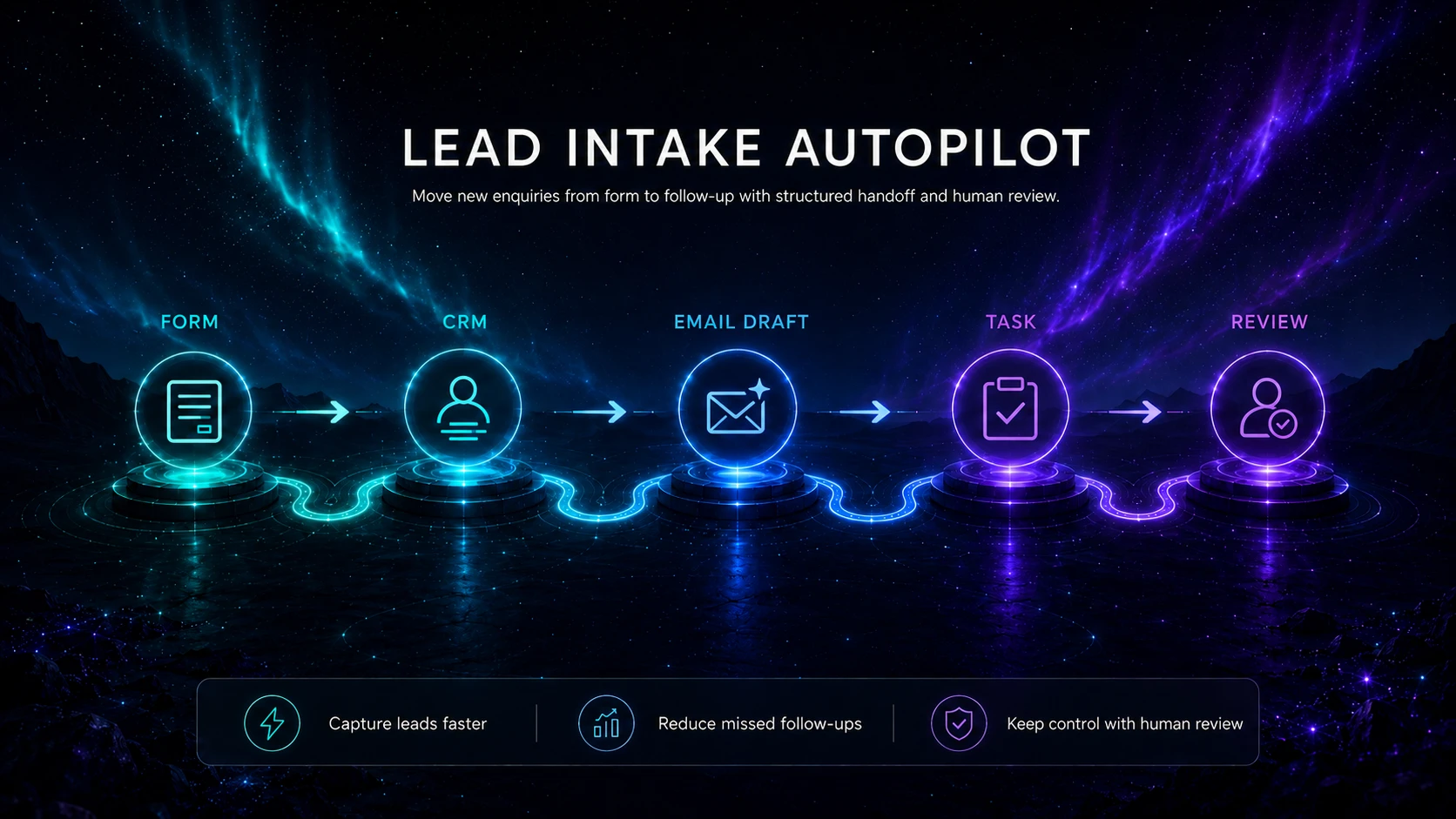
A lead-intake workflow converts a new enquiry into a complete, owned record without allowing an AI model to decide who deserves service, make promises or send an unreviewed sales response. The automation should validate the submission, identify obvious routing information, acknowledge receipt and create a visible follow-up task.
Outcome
A valid enquiry becomes one CRM or project record with the source preserved, required fields checked, consent or communication preference recorded where relevant, a responsible owner assigned and a follow-up deadline created. Incomplete, duplicate, sensitive or ambiguous cases move to a review queue.
Suitable users
- Consultants and agencies receiving enquiries through a website or shared inbox.
- Service businesses that need consistent qualification information before a call.
- Small teams where leads are currently copied manually into a CRM, spreadsheet or task system.
- Operators who can assign one person to own exceptions and data-quality review.
Trigger
A new website-form submission or a message arriving in a dedicated enquiry mailbox. Use separate entry points for general support, job applications, supplier messages and existing-client requests so the workflow does not force unrelated communications into a sales process.
Required inputs
| Input | Minimum rule |
|---|---|
| Contact details | Name plus one valid reply channel; do not invent missing details. |
| Organisation or context | Optional unless it is genuinely needed to route or serve the enquiry. |
| Request summary | The person’s own description of the problem or requested outcome. |
| Service interest | A controlled list where possible, with “not sure” available. |
| Timing | A preferred timeframe, not an artificial urgency score. |
| Permission and notice | The relevant privacy notice and communication choice for the actual form and jurisdiction. |
| Source metadata | Form or mailbox, campaign source if lawfully collected, timestamp and unique event ID. |
Tool options
A form or dedicated inbox supplies the trigger; an automation platform validates and routes; a CRM or task system stores the approved record; and an AI assistant may perform one narrow classification or extraction step. Compare Zapier, Make, n8n and Pipedream according to operator skill, permissions, error handling and cost.
Process flow
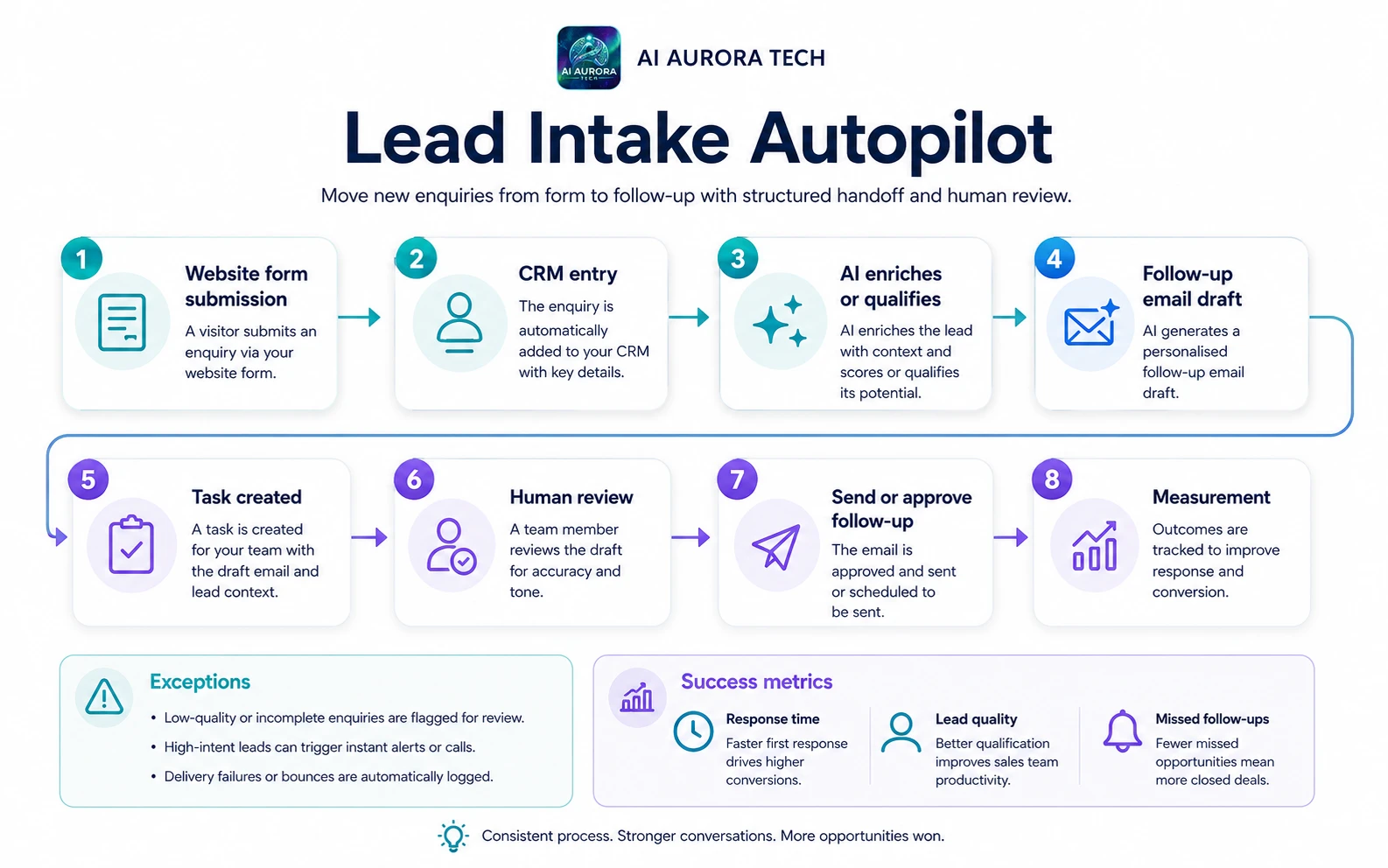
- Receive and identify the event. Assign a unique event ID immediately so retries cannot create duplicate records.
- Validate required fields. Stop and request correction when the reply channel is invalid or required information is missing.
- Screen for non-sales routes. Move support, privacy, accessibility, recruitment or supplier messages to their proper queue using deterministic rules where possible.
- Check for duplicates. Search the approved system using stable identifiers such as email plus recent timestamp; never overwrite an existing customer record automatically.
- Classify the enquiry. Use controlled form fields first. If free text must be interpreted, ask AI for a small approved category set plus a confidence or “needs review” outcome.
- Create the lead record. Store original text, validated fields, source and any AI-proposed classification separately.
- Assign ownership. Route using explicit territory, service or workload rules; ambiguous cases enter an unassigned review queue.
- Acknowledge receipt. Send an approved message confirming receipt and realistic response timing without claiming that the enquiry has been accepted.
- Create the follow-up task. Add owner, due date, source link and a checklist for human review.
- Log the result. Record the run status, duplicate decision, routing reason, message sent and any exception.
Human approval points
- A person reviews any low-confidence or unsupported classification.
- A person decides whether the opportunity fits the service, whether sensitive information should be removed and what response is appropriate.
- Any personalised sales reply, price, availability statement or commitment is approved before sending.
- Existing-client or complaint messages are rerouted rather than treated as new business.
Exception handling
| Exception | Required response |
|---|---|
| Missing or invalid reply details | Do not create a sales task; retain only the minimum operational record and show a form error or review item. |
| Duplicate submission | Attach the event to the existing record or queue it for review; do not create another lead blindly. |
| Sensitive information in free text | Restrict access, minimise copied data and route for human handling. |
| Unsupported service or location | Use a neutral review route; do not let a model reject a person automatically. |
| Prompt-like instructions inside the enquiry | Treat the message as untrusted data, not as instructions to the automation or model. |
| Integration outage | Queue the original event durably, alert the owner and retry with duplicate protection. |
Failure and fallback procedure
Keep the original form notification or mailbox as the fallback source. If the automation cannot confirm that the CRM write succeeded, it must not send a message implying that a sales owner has received the enquiry. Alert the workflow owner, place the event in a manual queue and use the unique event ID when replaying it. After recovery, reconcile queued events against created records before retries.
Approved output destination
One CRM, controlled spreadsheet or project-intake database is the authoritative lead record. Chat logs, model output and automation history are supporting evidence, not the source of truth. The follow-up task should link back to that record rather than copy all personal information into multiple systems.
Owner
A sales or operations owner is responsible for field definitions, routing rules, message templates, access reviews, exception queues and monthly performance review. A technical maintainer may support the integration, but business ownership remains with the person accountable for enquiry handling.
Measurement
- Percentage of valid enquiries recorded successfully.
- Median time from submission to assigned task.
- Incomplete-input and duplicate rates.
- Percentage requiring classification or routing correction.
- Acknowledgement delivery failures.
- Lead response within the stated service level.
- Manual minutes per valid enquiry and total workflow cost.
- Privacy, security or inappropriate-routing incidents.
Setup checklist
- Map current intake routes and remove obsolete forms or mailboxes.
- Define required fields, allowed categories and non-sales routes.
- Publish the relevant privacy information and collect only necessary data.
- Create a unique event-ID and duplicate-control method.
- Use least-privilege service accounts.
- Write approved acknowledgement templates.
- Create an exception queue with a named owner.
- Test malformed fields, duplicate events, prompt injection, outages and rejected classifications.
- Pilot with a limited source and compare results with the manual baseline.
Prompt asset specification
The later Automation Mapping prompt pack should help an operator map the trigger, fields, rules, AI task, output contract, approvals and exceptions. It must not be used to score or reject people. Until that pack is published, document these fields directly in the workflow record.