
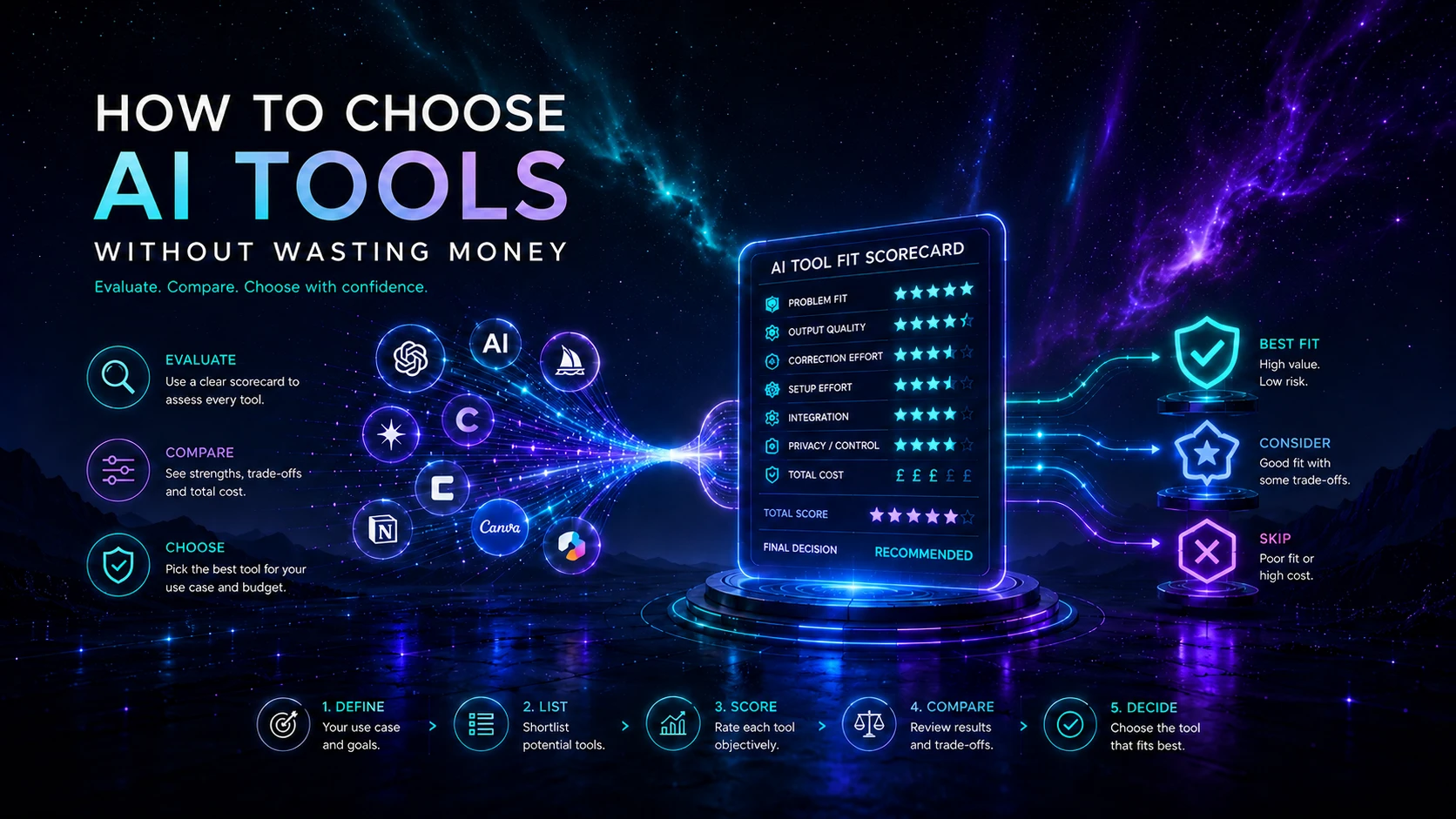
The fastest way to waste money on AI is to start with a product and invent a reason to keep it. A better process begins with a recurring job, defines the required result, compares only credible options and runs a small pilot against the current method. This guide gives founders, consultants and small teams a practical way to choose an AI tool without turning experimentation into permanent subscription clutter.
Concise answer
Choose an AI tool only when it improves a defined workflow enough to justify its complete operating cost and risk. Document the baseline, set non-negotiable requirements, shortlist two to four options, score them with evidence, run a bounded pilot and adopt only when the result is repeatable. A decision to defer or reject is a successful outcome when the evidence does not support purchase.
Who this guide is for
Use this process when you are considering a new assistant, automation platform, research product, creative tool or AI feature inside software you already use. It is designed for small teams and owner-led organisations that need discipline without a heavyweight procurement department. It is not legal, security or financial advice; higher-risk use cases need suitable specialist review.
Key takeaways
- Start with a problem statement, not a product comparison.
- Compare the full operating system: people, inputs, review, integrations, costs and failure handling.
- Treat official documentation as evidence, but verify important behaviour in your own pilot.
- Separate consumer and managed-business account terms and controls.
- Measure time saved only after subtracting setup, review, correction and administration.
- Prefer a reversible decision with export, ownership and an exit plan.
Jump to a step
- 1. Define the problem
- 2. Map the current workflow
- 3. Set requirements
- 4. Build a shortlist
- 5. Score the options
- 6. Calculate total cost
- 7. Run a pilot
- 8. Decide and document
1. Define the problem before the product
Write one sentence describing the current difficulty in operational terms. “We need AI for marketing” is not specific enough. “Producing an approved first draft of a monthly client update takes three hours and often misses information from the project record” is testable. It identifies the job, the current effort and a quality problem.
A useful problem statement contains four elements: the recurring task, the person responsible, the current failure or cost and the required outcome. Avoid promises such as “10× productivity”. The purpose is to create a decision that can be tested.
| Weak starting point | Decision-ready version |
|---|---|
| We need an AI writer. | We need to reduce the time from approved brief to fact-checked first draft without increasing editorial corrections. |
| We should automate leads. | We need every qualified website enquiry recorded, acknowledged and assigned within ten minutes, with exceptions visible to an owner. |
| We need better research. | We need a repeatable way to find relevant sources, preserve citations and distinguish evidence from summary. |
2. Map the current workflow
Before evaluating software, record how the job works today. Identify the trigger, inputs, steps, decision points, owner, output destination and common exceptions. This prevents a tool from being judged on a demonstration that ignores the actual process.
- Trigger: what starts the work?
- Inputs: which files, records, instructions or source material are required?
- Process: what happens before and after the proposed AI step?
- Approval: who can accept the result?
- Destination: where does the approved output belong?
- Exceptions: what must happen when information is missing, the output is wrong or the service fails?
Create a baseline using a small set of representative cases. Record elapsed time, active work time, correction count, handoffs and quality failures. Without a baseline, a pilot can feel faster while quietly creating more review work.
3. Set non-negotiable requirements
Separate requirements into must have, useful and irrelevant. This prevents attractive features from outweighing a missing control. A product that fails a genuine must-have should leave the shortlist even if its demo is impressive.
| Requirement area | Questions to answer |
|---|---|
| Information and privacy | What data may enter the tool? Which plan, region, retention and training controls apply? |
| Output and review | What format is required? Who checks accuracy, rights, tone or code quality? |
| Workflow | Which integrations and exports are essential? Can the approved result reach its destination cleanly? |
| Administration | Are roles, shared workspaces, audit information, billing and offboarding adequate? |
| Reliability | What limits, outages or failure modes matter? Is there a manual fallback? |
| Commercial fit | Is the pricing predictable enough for the expected volume and number of users? |
For personal data, confidential client material, regulated decisions, production code or customer-facing automation, involve the appropriate privacy, security, legal or technical reviewer before the pilot. The AI Use Policy explains AI Aurora’s own human-responsibility boundary.
4. Build a small shortlist
Start in the AI Tools Directory and choose the category that matches the job. A shortlist of two to four options is normally enough to reveal the important trade-offs without creating a research project of its own. Include the existing process or “do nothing yet” as a valid comparison.
- Use AI Writing & Content Tools for drafting, editing and content operations.
- Use AI Automation & Agent Tools for triggers, routing and cross-system actions.
- Use AI Research & Learning Tools for source discovery and evidence workflows.
- Use AI Productivity & Operations Tools for meetings, documents and workspace assistance.
- Use AI Development & Data Tools for coding, application building and model integration.
- Use AI Marketing & Sales Tools for CRM, lifecycle, prospecting and search operations.
- Use AI Design & Creative Tools for visual generation and creative production.
Use official product pages, pricing, help centres, privacy information and security documentation for material facts. Record the date checked. Independent reviews can add context, but they should not override current first-party documentation for plan limits or data controls. AI Aurora’s Review Methodology explains this evidence hierarchy.
5. Score the options with evidence
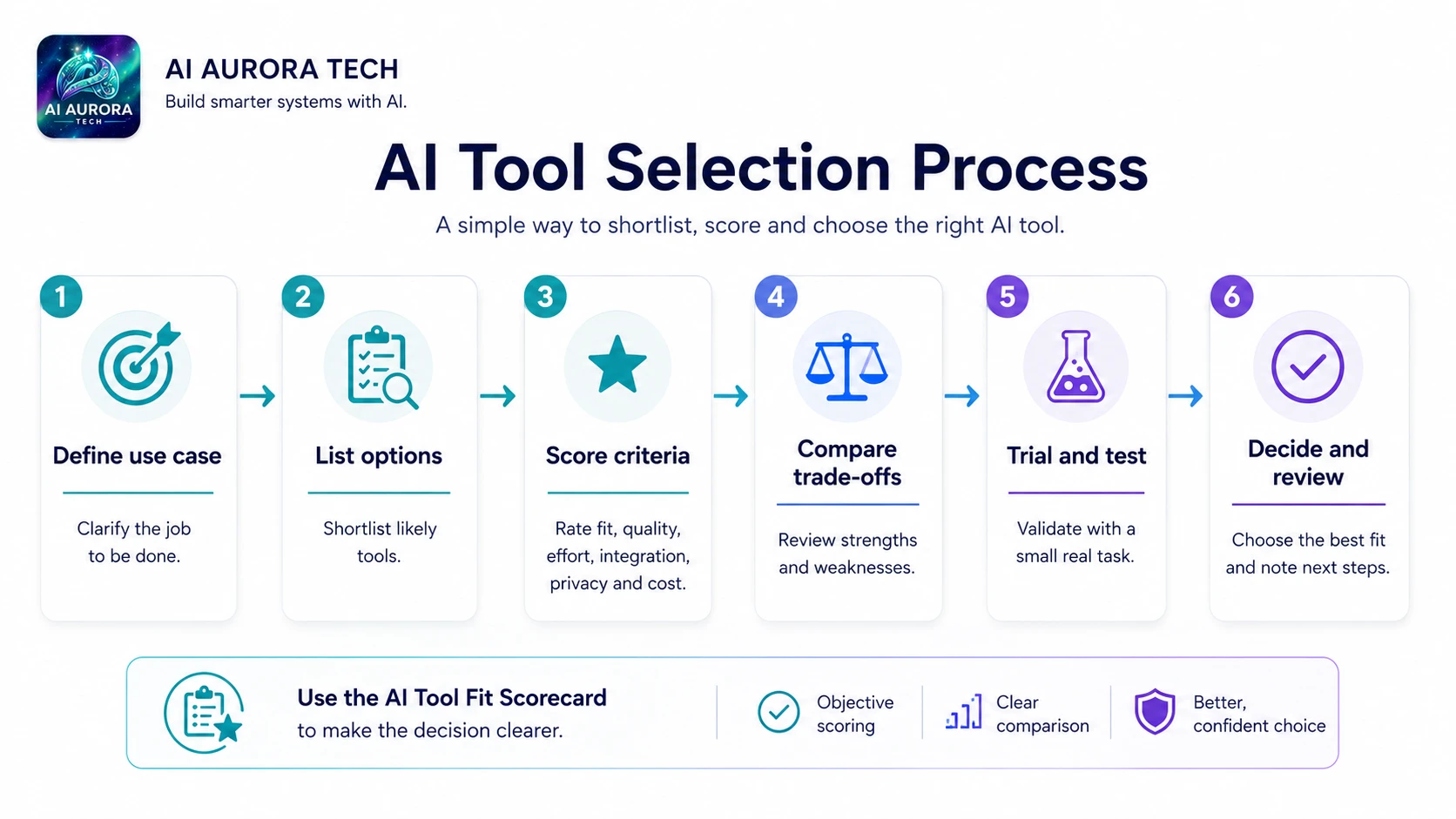
A scorecard makes trade-offs visible; it does not turn judgement into mathematics. Weight the factors according to the job, score each option from 1 to 5 and attach a short evidence note. Any failed non-negotiable remains a rejection regardless of the total.
| Factor | Example weight | What a strong score means |
|---|---|---|
| Problem and output fit | 25% | Completes the required job with acceptable quality on representative cases. |
| Workflow and integrations | 15% | Fits the real inputs, handoffs and output destination with little duplication. |
| Control and data handling | 20% | Meets approved account, information, retention, access and review requirements. |
| Total operating cost | 15% | Cost remains reasonable after usage, administration, review and correction. |
| Ease of operation | 10% | The intended operator can use and monitor it reliably. |
| Portability and exit | 10% | Important data, prompts and outputs can be exported or moved. |
| Vendor and documentation fit | 5% | Current documentation, support and change communication are adequate for the use case. |
Multiply each score by its weight and compare the totals, but preserve the notes. Two tools may reach a similar score for completely different reasons. The notes explain which compromise you are accepting.
6. Calculate the real operating cost
The subscription is only one line. A useful monthly estimate includes seats, usage charges, connected services, setup, administration, human review, correction and the expected cost of failures. Also account for duplicate software that should be cancelled if the new tool is adopted.
| Cost component | What to include |
|---|---|
| Licence and usage | Seats, credits, tasks, tokens, storage, premium models and overages. |
| Setup | Configuration, templates, integrations, migration and staff learning. |
| Operation | Monitoring, permissions, billing administration and documentation updates. |
| Human review | Time spent checking, correcting, approving and handling exceptions. |
| Failure and rework | Incorrect outputs, missed actions, duplicated work and recovery. |
| Switching | Export, retraining, rebuilding integrations and contractual commitments. |
Compare the cost with the current baseline and the value of the improved outcome. Saving an hour is not useful when the hour merely moves from production to correction. Likewise, a tool may be worthwhile without saving time if it improves consistency, responsiveness or evidence quality enough to matter.
7. Run a bounded pilot
A pilot should answer the decision, not showcase every feature. Use approved information and a representative sample of cases. Define the duration or case count in advance, name an owner and decide what result would justify adoption.
- Select cases: include normal work, one difficult case and at least one likely exception.
- Configure the minimum: use only the features required for the proposed workflow.
- Record inputs and outputs: preserve enough evidence to compare results and reproduce failures.
- Measure: track active time, elapsed time, quality, corrections, review effort and cost.
- Test failure handling: deliberately check missing information, poor output, access loss or an integration error.
- Gather operator feedback: note confusion, workarounds and whether the process can be repeated by someone else.
- Stop on schedule: make the decision rather than letting a trial become an unmanaged subscription.
Do not make a live customer process the experiment
Keep the first pilot bounded and reviewable. High-impact messages, decisions, code changes, financial actions and external publications should remain behind explicit human approval until the workflow has earned trust.
Practical example: proposal drafting
A small consultancy wants to reduce the time required to prepare first-draft proposals. Its current process uses discovery notes, a service catalogue and a previous proposal. The problem is not simply “writing”; it includes finding approved facts, choosing scope, identifying assumptions and preserving commercial judgement.
- Baseline: measure the current draft and review time across five recent proposals.
- Requirements: approved source material only, editable export, no unsupervised pricing decisions and a named reviewer.
- Shortlist: compare a general assistant, an AI feature inside the existing workspace and no new product with a better template.
- Pilot: use three anonymised historical cases and score factual use, structure, missing assumptions, review time and portability.
- Decision: adopt only if the process reduces total effort without increasing factual or scope errors. The winning option may be the improved template rather than another subscription.
8. Decide, document and review
End the pilot with one of four explicit outcomes: adopt, adopt with conditions, defer or reject. Record the reason, approved use, owner, cost, information boundary, review steps, fallback and next review date. This turns a purchasing decision into an operating decision.
Review the tool when pricing, plan controls, ownership, important features or the workflow changes. Also review it when usage falls, correction effort rises or a simpler process becomes available. Cancellation is part of healthy tool management, not a failed experiment.
Common failure points
- Feature-first selection: the tool is broad but the workflow remains undefined.
- Demo bias: evaluation uses ideal examples rather than representative work.
- Hidden review cost: correction time is excluded from the business case.
- Wrong account assumptions: consumer controls are confused with managed-business commitments.
- No owner: nobody monitors usage, cost, quality or plan changes.
- No exit: important prompts, records or outputs cannot be moved cleanly.
- Premature automation: an unreliable manual process is scaled before its rules and exceptions are understood.
Final selection checklist
- ☐ The recurring problem and required outcome are written clearly.
- ☐ The current workflow and baseline have been recorded.
- ☐ Must-have requirements and prohibited information are defined.
- ☐ Two to four credible options, including the current process, were compared.
- ☐ Material product claims were checked against current official sources.
- ☐ Total cost includes setup, usage, review, rework and switching.
- ☐ A bounded pilot used representative approved cases.
- ☐ Human approval and failure handling are documented.
- ☐ The decision, owner, fallback and next review date are recorded.
- ☐ Unneeded trials and duplicate subscriptions are cancelled.