
The AI Workflow Canvas helps a team describe a complete workflow before configuring tools. It exposes unclear triggers, missing inputs, weak approval rules, ownerless exceptions and undefined success measures while changes are still inexpensive.
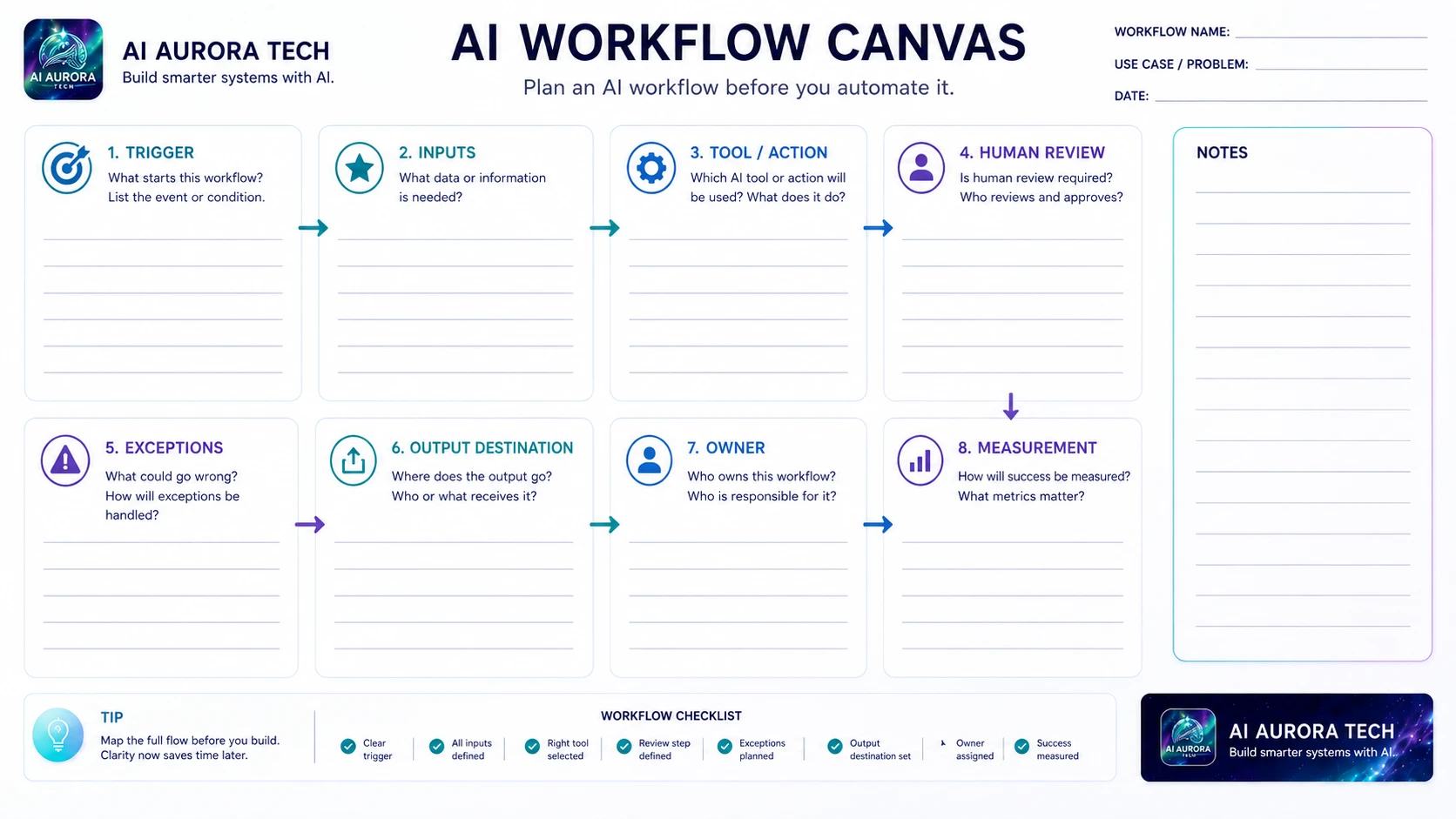
Download the canvas
Use the landscape worksheet during a process-mapping session. Complete it with the process owner and the people responsible for data, review and recovery.
How to use the canvas
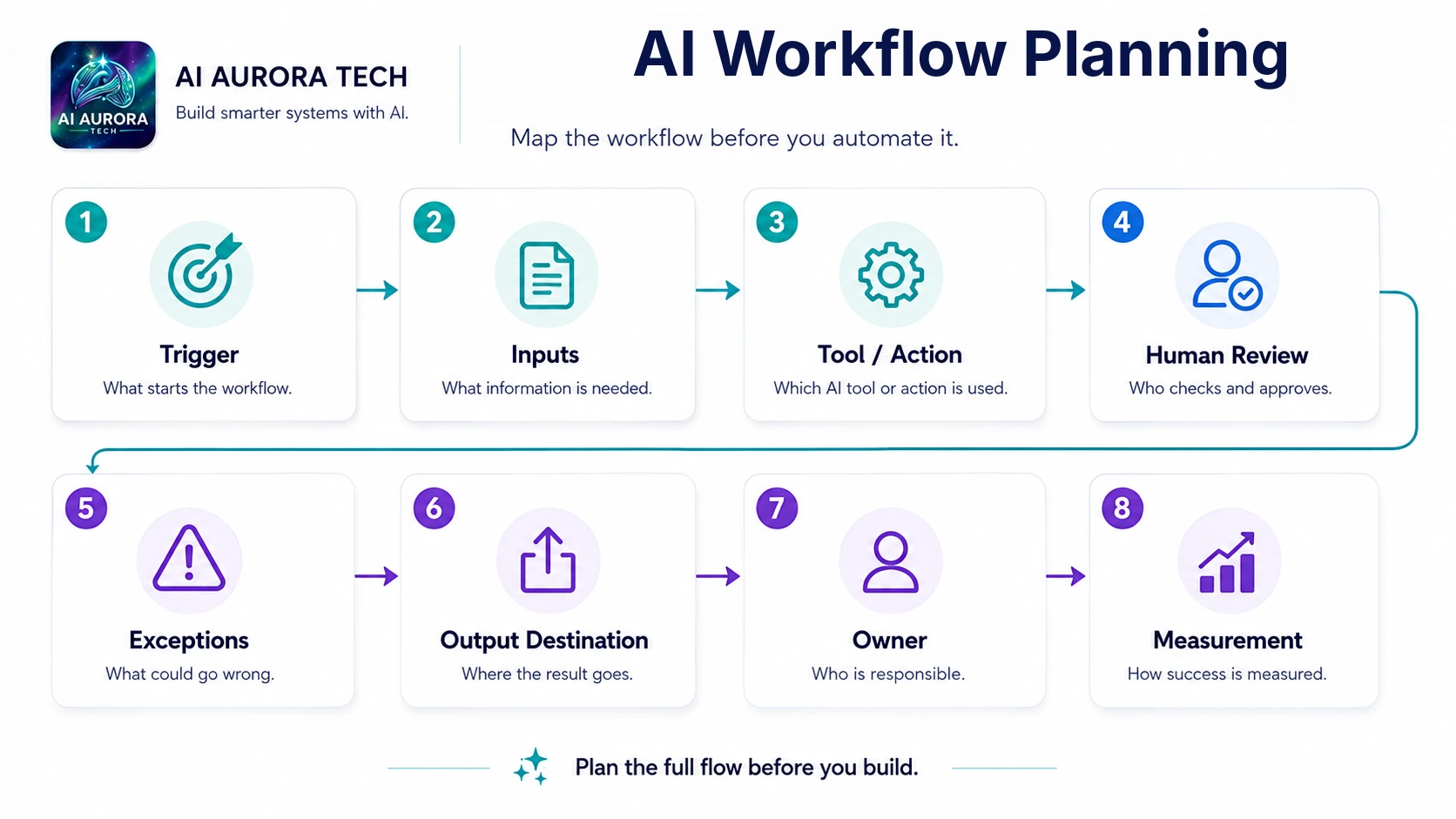
- Define the trigger as a specific event or condition. “When needed” is not a workable trigger.
- List required inputs and identify their authoritative source. Mark missing, optional or sensitive fields.
- Describe the tool or action in operational terms. Separate fixed rules from AI judgement.
- Define human review: who checks, what they compare and what authority they have.
- List realistic exceptions, including incomplete data, duplicates, low-confidence results, outages and rejected output.
- Name the approved output destination and prevent drafts from silently becoming the final record.
- Assign one workflow owner and owners for important exceptions.
- Choose one or two success measures that compare the workflow with the current process.
Questions that reveal weak designs
- Can the trigger occur twice, and what prevents duplicate work?
- What happens when an input is missing or arrives in the wrong format?
- Which actions are reversible?
- What must a reviewer see to make a meaningful decision?
- Where is the audit trail?
- Who responds when the automation stops?
- Can the team complete the work manually?
- What result would cause the workflow to be stopped rather than expanded?
Turn the canvas into a pilot
Use the completed canvas to configure the smallest end-to-end version. Test representative normal cases and deliberate failures. Record exceptions and corrections. Update the canvas when the real operating process differs from the planned one.
Worked example
For an enquiry-routing workflow, the trigger may be a submitted website form. Required inputs include contact details, consent state, enquiry type and message. Deterministic rules validate required fields and detect obvious duplicates. AI may classify the enquiry into a controlled list, but a low-confidence result goes to a person. The approved output destination is the CRM, followed by an acknowledgement draft and an owned task. Exceptions include spam, support requests, existing customers and unavailable integrations. The workflow owner measures time to owned follow-up, incomplete records, classification corrections and duplicate creation. This level of detail makes the later automation configuration much less ambiguous.
Common canvas mistakes
- Using a broad business goal as the trigger.
- Listing “AI” as the action without defining the bounded task.
- Calling a notification a human review without specifying what is checked.
- Leaving exceptions until after the normal route has been automated.
- Sending output to email when another system is the authoritative record.
- Assigning several contributors but no accountable workflow owner.
Review and version the canvas
Update the canvas when the trigger, source system, permissions, model, output destination or approval rule changes. Record the version used for each pilot. Retire old copies deliberately so operators do not follow an outdated exception or fallback route.