
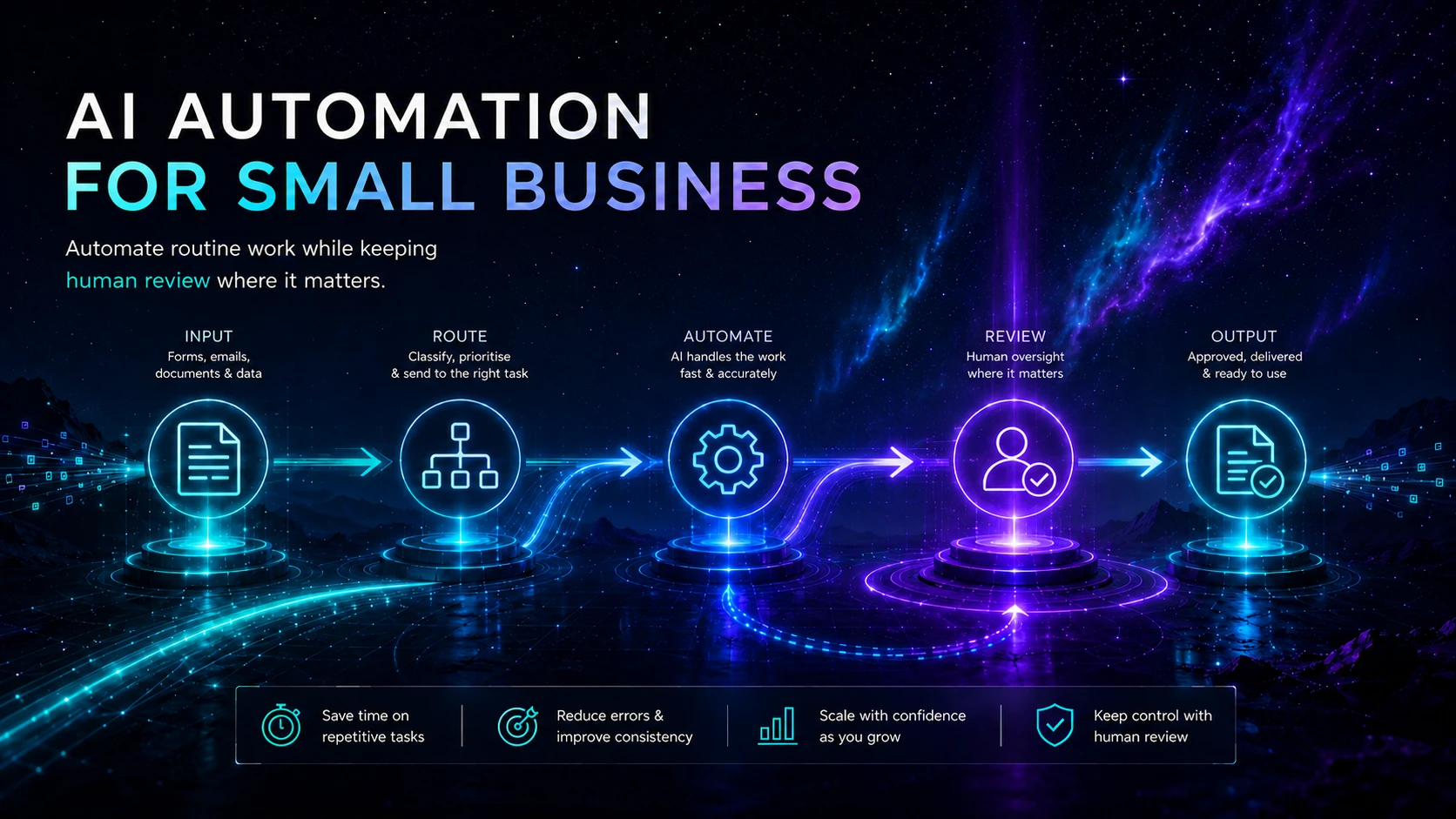
Small businesses should automate stable, repetitive steps where the trigger, required information, normal rules and desired destination can be described clearly. Start with a bounded workflow, use AI only for the parts that genuinely need interpretation, keep human approval around consequential actions and measure the live result against the existing manual process.
Concise answer
The safest first automation is usually small, observable and reversible. It removes a specific hand-off or administrative step without giving an AI system uncontrolled authority. The business should know who owns it, what information it can access, how failures are detected and what happens when the automation cannot complete the job.
Who this guide is for
This guide is for founders, consultants, freelancers, service businesses and small operations teams that want to reduce repetitive work without creating an invisible system they cannot operate. It assumes no particular automation platform and applies whether the workflow uses Zapier, Make, n8n, Pipedream or another suitable service.
Key takeaways
- Choose a business outcome and current process before choosing the automation product.
- Prefer structured triggers, validated inputs and deterministic rules wherever possible.
- Give AI a narrow interpretive task rather than control of the entire workflow.
- Use least-privilege connections and define what data may enter each service.
- Put human approval before high-impact, external or difficult-to-reverse actions.
- Test normal cases, edge cases, outages, duplicates and bad inputs before relying on the workflow.
- Measure exceptions, rework and cost as well as successful runs and time saved.
- Keep a documented manual route and an owner responsible for maintenance.
Jump to a section
- The automation framework
- 1. Choose the right candidate
- 2. Map the current process
- 3. Separate rules from AI
- 4. Choose the architecture
- 5. Set data and permission boundaries
- 6. Design human approval
- 7. Build a bounded pilot
- 8. Test failure and recovery
- 9. Measure and maintain
- Practical example
- Implementation checklist
The automation framework
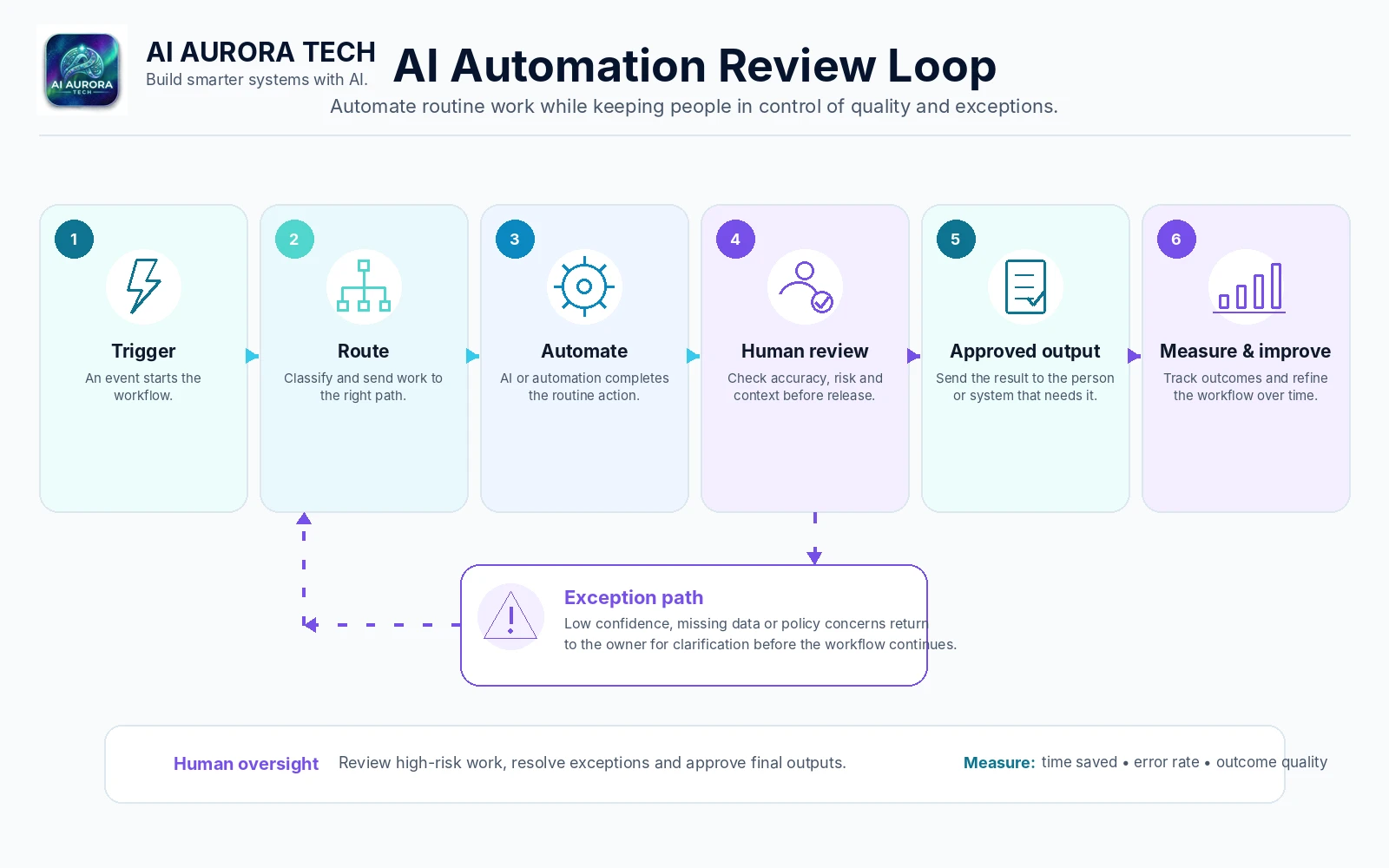
Describe the proposed workflow in nine fields before configuring any software. If the team cannot complete these fields, it is not ready to automate.
| Field | Question to answer |
|---|---|
| Outcome | What measurable result should improve? |
| Trigger | What exact event starts the workflow? |
| Inputs | Which fields, files or records are required? |
| Rules | Which decisions can be expressed deterministically? |
| AI task | What narrow interpretation, extraction or drafting task requires a model? |
| Actions | Which systems may be read or changed? |
| Approval | Which outputs require a person before the next action? |
| Exceptions | What conditions stop, queue or reroute the workflow? |
| Measurement | How will quality, time, cost, failures and rework be tracked? |
1. Choose the right candidate
Start with a recurring operational problem, not a desire to deploy AI. A useful candidate consumes meaningful time, follows a recognisable pattern and produces an output that can be checked. It should also be narrow enough to pilot without reorganising the whole business.
| Factor | Promising signal | Poor first candidate |
|---|---|---|
| Frequency | The same process occurs weekly or daily | A rare event with little repeatable structure |
| Standardisation | Most cases follow a documented route | Every case requires negotiation or expert judgement |
| Impact | The change removes delay or repetitive handling | The benefit is difficult to define beyond novelty |
| Reversibility | A mistake can be queued, corrected or stopped | An error immediately creates legal, financial or safety consequences |
| Data sensitivity | Inputs can be limited to approved fields | The workflow needs broad access to sensitive records before controls are understood |
Score candidate workflows against those factors and compare them. Do not automatically select the process that consumes the most time; a smaller, lower-risk workflow can produce better evidence and teach the team how to operate automation responsibly.
2. Map the current process
Observe how the work happens now. Record the starting event, information requested, decisions made, systems touched, waiting time, common corrections and final destination. Include informal steps such as checking an email thread or asking a colleague—those hidden dependencies often cause an automation to fail.
- Capture a baseline: cases per week, average handling time, cycle time, error or rework rate and current cost.
- Identify the source of truth: decide which system owns the approved customer, task, document or status record.
- Mark hand-offs: show where information changes owner or system.
- List exceptions: include missing fields, duplicates, invalid formats, conflicting records and requests outside the normal service.
- Remove unnecessary work: simplify the process before reproducing it in software.
3. Separate fixed rules from AI
A dependable workflow uses the simplest mechanism that can complete each step. Fixed rules are normally better for validation, calculations, exact routing, permissions and final record updates. AI is more appropriate for bounded tasks involving variable language or documents.
| Use fixed rules for… | Consider AI for… |
|---|---|
| Required-field checks, date or number validation and exact calculations | Classifying an enquiry from free text |
| Routing based on known products, regions, values or statuses | Extracting proposed fields from an unstructured document |
| Creating a task, updating a record or sending an approved template | Drafting a response for human approval |
| Preventing duplicate execution with a unique event or record key | Summarising material into a defined output structure |
| Stopping actions when a condition is not met | Flagging ambiguous or unusual cases for review |
Do not let a model invent the next action
Ask the model for a constrained output such as a category, extracted fields or a draft. Validate that output before another system acts on it. High uncertainty, missing evidence or an unsupported category should route to a person rather than trigger a guess.
4. Choose the architecture
The automation platform should fit the people who will operate it and the systems it must connect. The most flexible option is not automatically the best. Compare setup effort, debugging, version control, permissions, deployment model, billing unit, observability and the availability of an export or exit path.
- Accessible no-code: useful when non-technical operators need broad integrations and straightforward maintenance; explore Zapier.
- Visual scenario design: useful for branching, transformations and visible data flow; explore Make.
- Control and deployment choice: useful for technical teams that value self-hosting options and deeper workflow control; explore n8n.
- Developer-first integration: useful when code, APIs and managed execution belong in the same workflow; explore Pipedream.
Use the AI Automation & Agent Tools comparison for product trade-offs and How to Choose AI Tools Without Wasting Money for the complete selection and pilot method.
5. Set data and permission boundaries
Write down every type of information that will enter the workflow, where it will be stored and which service accounts can access it. Use the minimum permissions needed for the defined actions. A connection that only creates a task should not automatically receive broad authority to delete records, administer users or read unrelated customer data.
- Use dedicated service accounts where the platform and business setup support them.
- Limit triggers and searches to the relevant workspace, folder, form, mailbox or database view.
- Avoid sending unnecessary personal, confidential or regulated information into an AI step.
- Check the controls that apply to the actual account and plan—not only a general marketing statement.
- Treat prompts, logs, model outputs and workflow history as potentially sensitive operational records.
- Document how credentials are rotated, revoked and handed over when staff or suppliers change.
The ICO’s AI and data-protection risk toolkit is designed to help organisations consider risks to individuals across the AI lifecycle. The NCSC’s secure AI guidance also emphasises controlling data access, protecting logs and monitoring systems throughout operation.
6. Design human approval
Human review should have a purpose. Define what the reviewer checks, what evidence is visible, how much time is available and what happens after rejection. Placing a person in the workflow without these conditions can create rubber-stamping rather than meaningful control.
| Normally safe to automate directly | Usually needs approval or escalation |
|---|---|
| Creating an internal task from validated fields | Sending a novel or sensitive message to a customer |
| Copying an approved status between systems | Making an eligibility, employment, credit or similar consequential decision |
| Sending a standard receipt after a confirmed event | Committing money, changing a contract or accepting liability |
| Preparing a draft or summary in an internal queue | Publishing content or changing an authoritative record |
| Flagging a record for review | Deleting data or taking an action that is difficult to reverse |
The AI Use Policy sets AI Aurora’s own human-responsibility boundary. Your organisation should define an equivalent rule suitable for its services, obligations and risk level.
7. Build a bounded pilot
Run the workflow on a limited set of representative cases. Keep the previous process available and make the pilot easy to stop. A useful pilot has a start date, owner, sample size or time window, approved users, data boundary, success measures and a decision date.
- Choose one entry point and one final destination.
- Use a small set of approved fields and actions.
- Place uncertain or high-impact cases in a review queue.
- Record every run, outcome, exception and manual correction.
- Compare the result with the baseline rather than with an idealised demonstration.
- End with an explicit decision: adopt, improve and retest, defer, or remove.
8. Test failure and recovery
A workflow is incomplete until the team knows what happens when an integration, model or destination fails. Test the expected path and deliberately test the uncomfortable cases.
- Bad input: missing fields, unsupported files, malformed dates and contradictory information.
- Duplicate trigger: the same event arrives twice or is replayed after a timeout.
- Partial completion: an early system updates successfully but a later action fails.
- Service outage: the model, automation platform or destination API is unavailable.
- Permission failure: a token expires or access is revoked.
- Unexpected AI output: the response is empty, malformed, uncertain or outside the allowed categories.
- Cost spike: a loop, unusually large file or repeated retry increases usage.
A practical fallback pattern
Fail closed, preserve the input and notify the owner. Use a unique case key to prevent duplicate actions, cap automatic retries, place unresolved cases in a visible queue and provide a documented manual route. Do not silently discard failed work or let an uncertain AI output trigger a consequential action.
9. Measure and maintain
Automation is an ongoing service, not a one-off build. Review its behaviour after product updates, process changes, permission changes and unusual failures. The owner should know how to pause it, inspect recent runs and restore the manual process.
| Measure | What it reveals |
|---|---|
| Completion rate | How often the workflow reaches its intended destination |
| Exception rate | How often cases require manual intervention |
| Rework rate | How often an apparently completed output needs correction |
| Cycle time | Whether the end-to-end process is actually faster |
| Handling time | How much active staff effort remains |
| Quality measure | Whether the output meets the defined acceptance criteria |
| Cost per case | Whether platform, model and review costs remain justified |
| Incident and duplicate count | Whether controls and recovery are working |
NIST’s AI Risk Management Framework and Playbook emphasise defined roles, documentation, measurement, monitoring and ongoing management across the AI lifecycle. The UK Government’s AI assurance guidance similarly treats testing and monitoring as lifecycle activities rather than a one-time check.
Practical example: enquiry intake and routing
Consider a service business receiving enquiries through a structured website form. The aim is not to let an AI agent run sales. The aim is to reduce copying and first-pass triage while preserving human responsibility.
- Trigger: a form is submitted with required contact, service and consent fields.
- Validation: fixed rules check required fields, email format, duplicate submission and supported service area.
- AI task: a model assigns one approved enquiry category and extracts a short neutral summary from the free-text description.
- Validation: the automation rejects categories outside the approved list and routes low-confidence or sensitive language to manual review.
- Actions: create or update the CRM record, attach the original submission, create an internal task and prepare an acknowledgement from an approved template.
- Approval: unusual, high-value or sensitive enquiries wait for a person before any tailored response is sent.
- Fallback: if classification or CRM creation fails, retain the original form data in the intake queue, alert the owner and use the manual intake procedure.
- Measurement: compare handling time, response delay, duplicate records, routing corrections and cost per enquiry with the previous process.
This example is intentionally bounded. Later automation may be justified, but only after the first system is reliable and the business understands its exception patterns.
Common failure points
- Automating ambiguity: the team has not agreed what the normal process should be.
- Weak inputs: missing or inconsistent information is passed downstream instead of being corrected at entry.
- Permission creep: convenient broad access becomes permanent and undocumented.
- Hidden partial failures: one system changes while another fails, leaving conflicting records.
- Duplicate side effects: retries create repeated messages, tasks, charges or records.
- Unreviewed external output: AI-generated language reaches customers without appropriate checking.
- No operational owner: alerts, updates and exception queues are ignored.
- Success measured too narrowly: run count rises while rework, cost or customer friction also rises.
Implementation checklist
- ☐ The desired business outcome and current baseline are documented.
- ☐ The trigger, required inputs, source of truth and final destination are explicit.
- ☐ Fixed rules are used wherever they can provide a more reliable result.
- ☐ Any AI task has a narrow purpose, allowed output structure and uncertainty route.
- ☐ Connections use the minimum practical permissions.
- ☐ Personal and confidential data boundaries have been reviewed.
- ☐ Human approval is defined for high-impact, external or irreversible actions.
- ☐ Duplicate prevention, retry limits and partial-failure handling are configured.
- ☐ Normal, edge, outage and recovery cases have been tested.
- ☐ Logs, alerts and the exception queue have a named owner.
- ☐ A manual fallback and pause procedure are documented.
- ☐ The pilot has measures, a review date and an adopt/improve/defer/remove decision.