
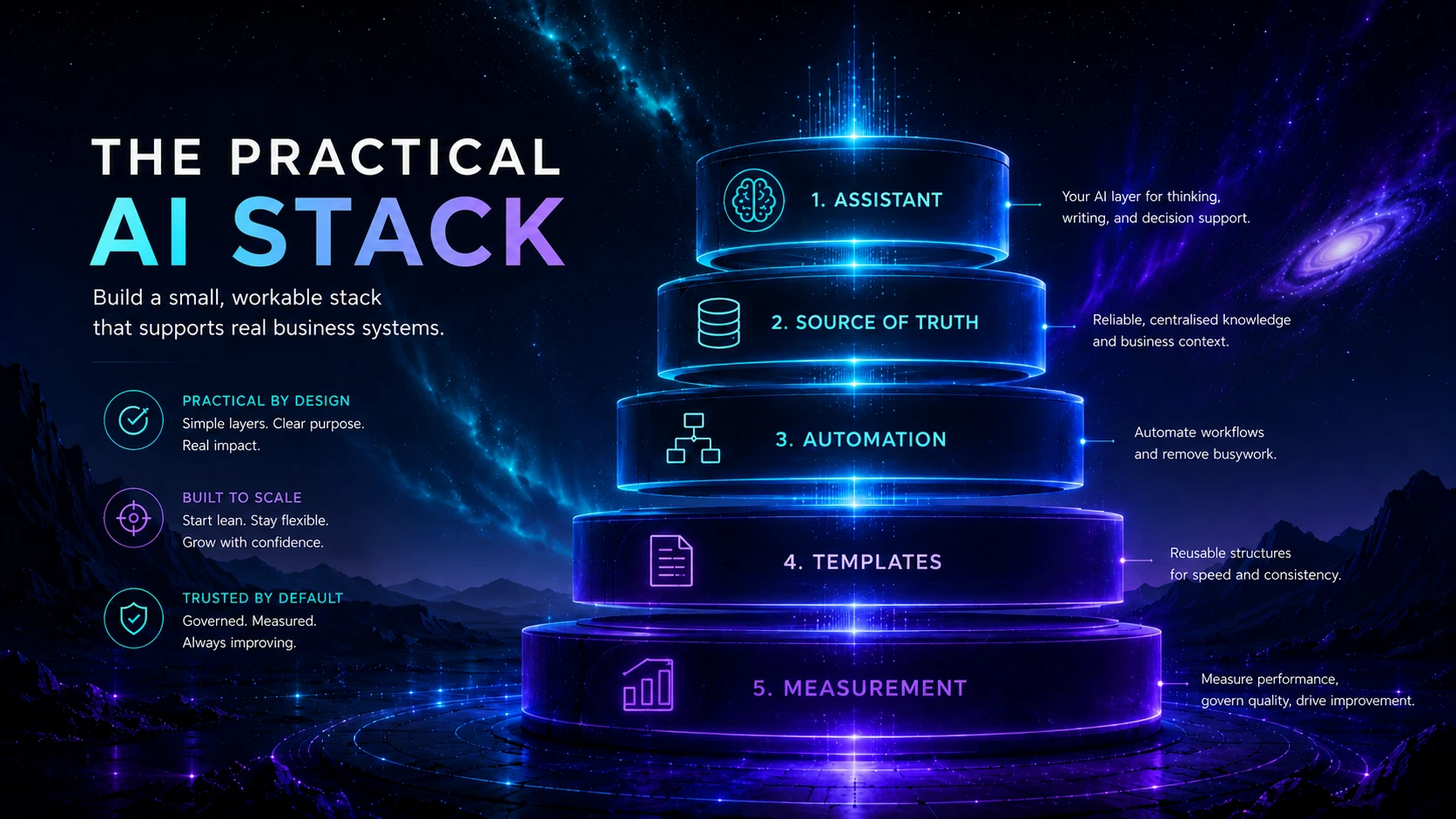
A practical AI stack is the smallest understandable system that moves trusted information through useful AI assistance and into an approved destination. The stack should make work easier to repeat without hiding ownership, weakening data controls or creating a web of subscriptions that nobody can maintain.
Concise answer
Build around one outcome, one source of truth, one primary assistant and one approved destination. Add automation or specialist tools only where the workflow proves they are needed. Document every boundary, keep permissions narrow, preserve human approval for material outputs and measure the complete operating system—not the novelty of individual features.
Who this guide is for
This guide is for founders, consultants, freelancers, service businesses and small teams that already use one or more AI products but lack a coherent operating setup. It is especially useful when work is split across chat histories, documents, email, automation tools and specialist apps with no agreed source of truth or final destination.
Key takeaways
- A stack is a system of roles and information flows, not a list of popular tools.
- The source of truth and approved destination matter more than the model brand.
- One primary assistant is usually easier to govern than several overlapping subscriptions.
- Automation should connect stable hand-offs; it should not compensate for an undefined process.
- Prompts, templates and output standards should be managed as reusable operating assets.
- Permissions, retention, logging, review and fallback belong in the architecture from the beginning.
- The best stack is the one the team can explain, operate, measure and simplify.
Jump to a section
1. Define the outcome · 2. Design the layers · 3. Map information flow · 4. Choose tool roles · 5. Add controls · 6. Pilot the stack · 7. Worked example · Checklist
1. Define the outcome before the architecture
A stack becomes bloated when it is designed around product categories rather than work. Start with one recurring outcome such as producing an approved client research brief, turning meeting notes into assigned actions, preparing a publishable article or triaging qualified enquiries. Describe the result in operational terms: who requests it, what inputs are required, who approves it, where it is stored and how success is recognised.
| Weak starting point | Better stack question |
|---|---|
| “We need an AI assistant.” | Which recurring task needs faster or more consistent interpretation, drafting or analysis? |
| “We should automate our business.” | Which stable hand-off is repeated often enough to justify a monitored workflow? |
| “We need a knowledge base.” | Which approved information must be found, updated and cited during this process? |
| “We need an agent.” | Which bounded actions may the system take, under what permissions and with which approval? |
Use the AI tool selection framework if the problem and requirements are still unclear. Use AI Automation for Small Business if the outcome already includes repeated triggers and connected actions.
2. Design the five stack layers
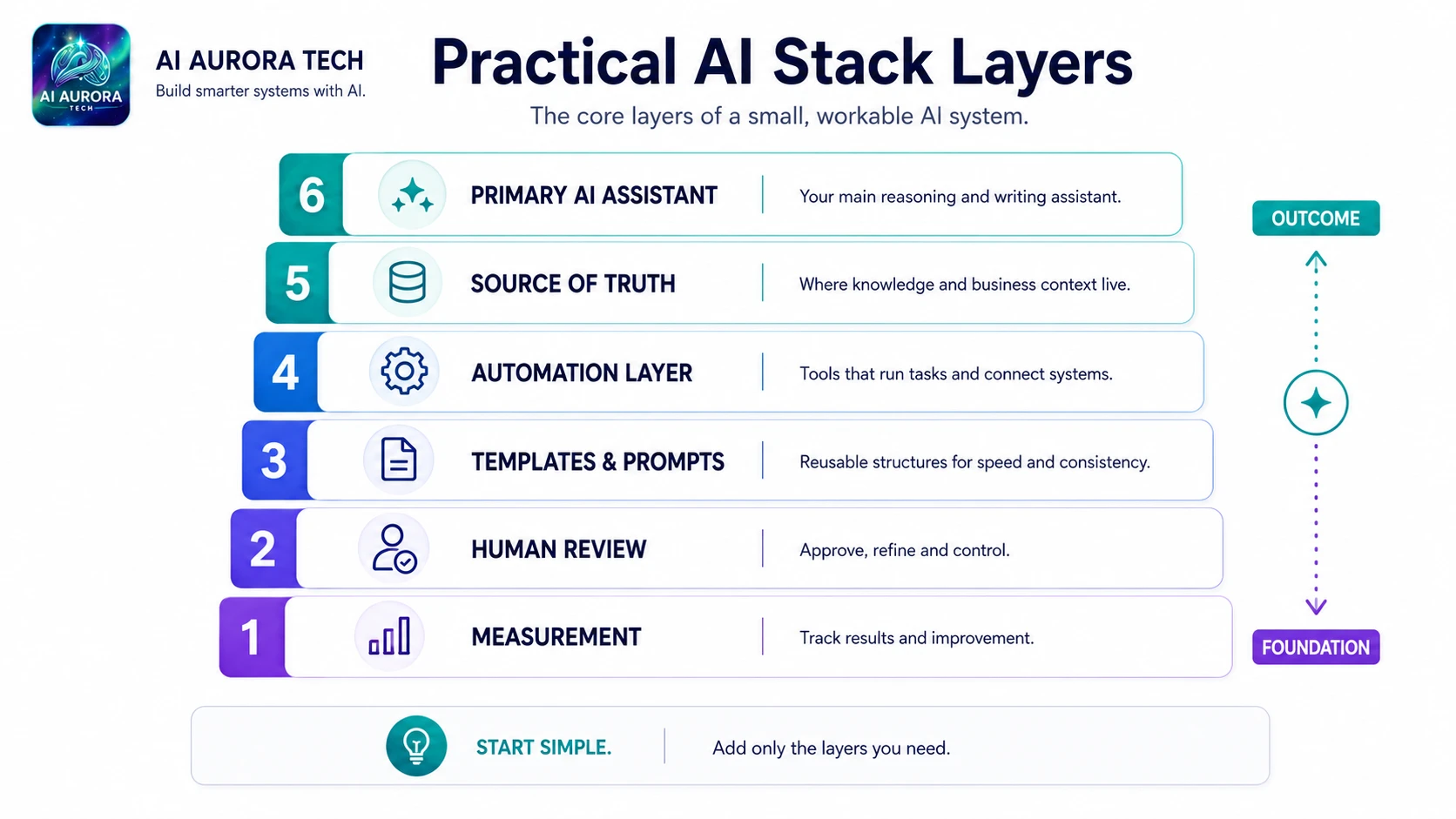
Layer 1: Source of truth
This is where approved facts, customer records, project documents, policies, product information or structured inputs live. It may be a document repository, CRM, project system, database or carefully governed set of files. The source of truth should have an owner, update process and access rules. A model response, copied chat or temporary upload is not automatically authoritative.
- Identify which records may be read and which may be changed.
- Distinguish authoritative material from references, examples and unverified notes.
- Define how stale information is identified and replaced.
- Keep important source documents recoverable outside a single AI interface.
- Use retrieval or connected search only when the source collection is organised enough to support it.
Layer 2: Assistant or model
The assistant performs a narrow cognitive job: summarising, extracting, drafting, classifying, comparing or transforming. A general assistant such as ChatGPT or Claude may cover several tasks, while workspace-native tools such as Notion AI, Google Gemini or Microsoft Copilot can reduce movement between systems. The choice should follow the workflow, account controls and source environment—not a universal ranking.
Do not make the assistant the system of record
Chat histories are useful working spaces, but important instructions, evidence and approved outputs should be stored where the team can govern, retrieve and hand them over.
Layer 3: Automation and integration
This layer moves information, applies fixed rules, creates tasks, calls services and records events. Products such as Zapier, Make, n8n and Pipedream represent different operating models. Add this layer only after the inputs, output and exception route are stable enough to describe.
Keep deterministic steps deterministic. A fixed field mapping, date calculation or status update normally does not need a language model. Use AI for the step that genuinely requires interpretation, then validate its output before later actions run.
Layer 4: Approved destination
The destination is where reviewed work becomes operational: a project board, CRM, content management system, document repository, codebase, ticket queue or approved database record. The destination should support version history, ownership and later retrieval. Without it, useful outputs remain trapped in chat windows and disconnected exports.
Layer 5: Governance and measurement
This layer defines who owns the stack, who can access each component, what review is required, how incidents are handled and whether the system remains worthwhile. NIST frames AI risk management as an ongoing organisational activity, while the NCSC’s secure AI guidance covers design, development, deployment, operation and maintenance. For a small team, that translates into a simple operating record rather than a large bureaucracy.
| Governance item | Minimum practical record |
|---|---|
| Owner | Named person responsible for operation, review and improvement |
| Purpose | The outcome the stack is authorised to support |
| Data boundary | Allowed, restricted and prohibited information |
| Accounts and permissions | Connected services, account type and minimum required access |
| Human approval | Which outputs or actions require review and what the reviewer checks |
| Monitoring | Errors, unusual inputs, quality samples, costs and failed hand-offs |
| Fallback | How work continues manually and how duplicates are prevented |
| Review date | When pricing, controls, integrations and operating assumptions will be checked again |
3. Map the information flow
Draw the stack as a sequence of transformations rather than logos. For each boundary, write down the incoming information, the action performed, the output schema, the destination and the failure route. This reveals where sensitive data leaves a controlled system, where model output could be mistaken for fact and where excessive permissions could create unnecessary risk.
| Boundary question | Why it matters |
|---|---|
| What information crosses this boundary? | Prevents broad, undocumented data movement. |
| Is the information necessary for the task? | Supports data minimisation and simpler testing. |
| Which account or API credential is used? | Makes permissions and revocation manageable. |
| Can untrusted content influence the instruction? | Highlights prompt-injection and manipulation risk. |
| What format must the output follow? | Allows validation before the next action. |
| What happens when the step fails or is uncertain? | Creates a recoverable workflow rather than silent loss. |
OWASP’s 2025 guidance for LLM and generative-AI applications identifies risks including prompt injection, sensitive-information disclosure, supply-chain weaknesses, excessive agency and misinformation. These are stack-design concerns: they cannot be solved by a clever prompt alone.
4. Choose tools by role, not popularity
Assign every product a clear role and reject unexplained overlap. A tool may be valuable, but if another layer already performs the same job, the combined stack can increase cost, fragmented history and inconsistent instructions.
| Role | Possible choices | Decision focus |
|---|---|---|
| Primary assistant | Writing and content assistants or workspace-native productivity tools | Document fit, account controls, collaboration, source access and portability |
| Research specialist | Perplexity or the research-tools category | Source coverage, evidence traceability and the type of question |
| Automation layer | automation platforms | Operator skill, branching, hosting, monitoring and billing unit |
| Custom model service | OpenAI API or another approved API platform | Retention, authentication, rate limits, evaluation and engineering ownership |
| Specialist production tool | design tools, marketing tools or development tools | Whether the specialist output justifies another workflow, account and review process |
A simple tool-role test
- Write the job the tool performs in one sentence.
- Name the information it receives and the record it produces.
- Identify the user or service account that operates it.
- List the controls that apply to the actual plan and account type.
- Name the existing tool it replaces, complements or depends upon.
- Define the condition under which it would be removed.
A new subscription should replace a weak manual step, remove a measurable constraint or provide a capability the stack genuinely lacks. “It may be useful later” is not a sufficient role.
Manage prompts and templates as stack assets
Reusable instructions belong outside individual chat histories. Store the master prompt, required variables, input rules, expected output structure, examples, privacy restrictions, version and review date in a controlled location. Connect it to the workflow that uses it and record the model or tool assumptions that materially affect the result.
This is the principle that will govern the future AI Aurora prompt library. A prompt pack will be a documented operating component with inputs, variations, failure modes and human review—not a disposable paragraph to paste blindly. The Prompting vs Systems guide explains why repeatability requires more than wording alone.
5. Add controls at the right boundaries
- Identity: use named or dedicated accounts and make offboarding possible.
- Least privilege: grant only the access required for the defined action.
- Data minimisation: send the smallest necessary input rather than entire records or folders.
- Output validation: require a defined schema and reject missing or malformed fields.
- Human approval: review material claims, customer communication, financial commitments, publication and high-impact decisions.
- Logging: preserve enough information to diagnose failure without creating an uncontrolled sensitive-data archive.
- Fallback: maintain a manual route and a method for reconciling work completed during downtime.
- Change control: review the workflow when a model, integration, plan or source system changes.
The ICO’s AI data-protection toolkit is designed to help organisations reduce risks to individuals’ rights and freedoms. The NCSC advises documenting data, models and prompts, managing supply-chain risk and technical debt, and monitoring behaviour and inputs during operation. These principles scale down into practical records for a small stack.
6. Pilot the complete stack
- Create a baseline. Record current cycle time, output quality, rework, cost and common failure points.
- Use representative cases. Include normal, incomplete, ambiguous and sensitive examples rather than only ideal inputs.
- Run in assisted mode. Keep final actions under human control while the team observes behaviour.
- Test each boundary. Check source retrieval, transformations, field validation, permissions, errors and destination records.
- Simulate failure. Disable a connection, reject an output and retry an event to confirm the fallback works without duplicates.
- Measure the system. Compare quality, time, exception rate, cost and maintenance against the baseline.
- Simplify before scaling. Remove unnecessary tools, prompts, fields or branches before increasing volume or autonomy.
7. Worked example: a consultant research brief
A consultant wants to turn approved client material and current research into a structured briefing document. The first stack does not need an autonomous agent or several overlapping assistants.
| Layer | Example implementation | Control |
|---|---|---|
| Source of truth | Approved client brief, scope, previous deliverables and a research log | Client owner confirms which files are current and which information is restricted |
| Research specialist | A source-led research tool for discovery, followed by direct source checking | Material claims are opened and verified before inclusion |
| Primary assistant | One assistant drafts against a stored brief template and supplied evidence | Prompt requires source labels, uncertainty notes and a fixed output structure |
| Automation | Optional creation of a project task and draft document after required fields exist | No client email or publication occurs automatically |
| Approved destination | Versioned document in the client project folder | Consultant edits, approves and records the final version |
| Governance | Named owner, allowed-data rule, review checklist, cost log and monthly stack review | Manual drafting remains available if research or assistant services fail |
The first improvement may be a better brief template or cleaner source folder—not another AI product. Automation should be added only after the hand-offs repeat consistently and the team knows which fields and exceptions matter.
Common stack failure points
| Failure | Why it happens | Correction |
|---|---|---|
| Tool sprawl | Products are bought for features rather than assigned roles | Create a role map and remove unexplained overlap |
| Chat as source of truth | Working conversations become the only record of instructions and decisions | Store approved prompts, evidence and outputs in governed systems |
| Broad permissions | Convenience connections receive more access than the workflow needs | Use minimum permissions, dedicated accounts and documented revocation |
| Hidden model step | AI output passes directly into later actions without validation | Use structured output, confidence or exception rules and human approval |
| No operating owner | The builder leaves and nobody checks errors, cost or updates | Assign a named owner and scheduled review |
| No fallback | An outage or changed integration stops the process completely | Document a manual route and reconciliation method |
| Unmeasured success | The team celebrates activity while rework and subscription costs rise | Compare the complete stack against a baseline |
Stack measurement
- Outcome quality: proportion accepted with minor, major or no revision.
- Cycle time: elapsed time from valid input to approved destination.
- Exception rate: cases requiring manual recovery or rerouting.
- Rework: corrections caused by missing context, unsupported claims or formatting failure.
- Operating cost: subscriptions, usage charges, setup, monitoring and staff review.
- Reliability: failed runs, duplicate actions, unavailable services and delayed hand-offs.
- Adoption: whether the intended operators understand and consistently use the system.
- Complexity: number of tools, accounts, credentials and manual reconciliation steps needed to keep it working.
Implementation checklist
- One recurring outcome is defined in operational terms.
- The authoritative source and approved destination are named.
- Every tool has one documented role and an exit condition.
- Important prompts and templates are versioned outside chat history.
- Data crossing each boundary is necessary and documented.
- Account types, permissions and service credentials are recorded.
- AI outputs have a required structure and an uncertainty route.
- Material actions and claims have appropriate human approval.
- Logs, alerts, fallback and duplicate prevention are designed.
- A baseline and pilot success criteria exist.
- The whole stack has a named owner and next review date.
- The team will simplify the system before adding another layer.
Official sources
- NIST AI Risk Management Framework
- NIST Generative AI Profile
- NCSC Guidelines for secure AI system development
- NCSC secure-development guidance
- NCSC secure-operation and maintenance guidance
- ICO AI and data-protection risk toolkit
- OWASP Top 10 for LLM and generative-AI applications
- UK Government AI Management Essentials guidance