
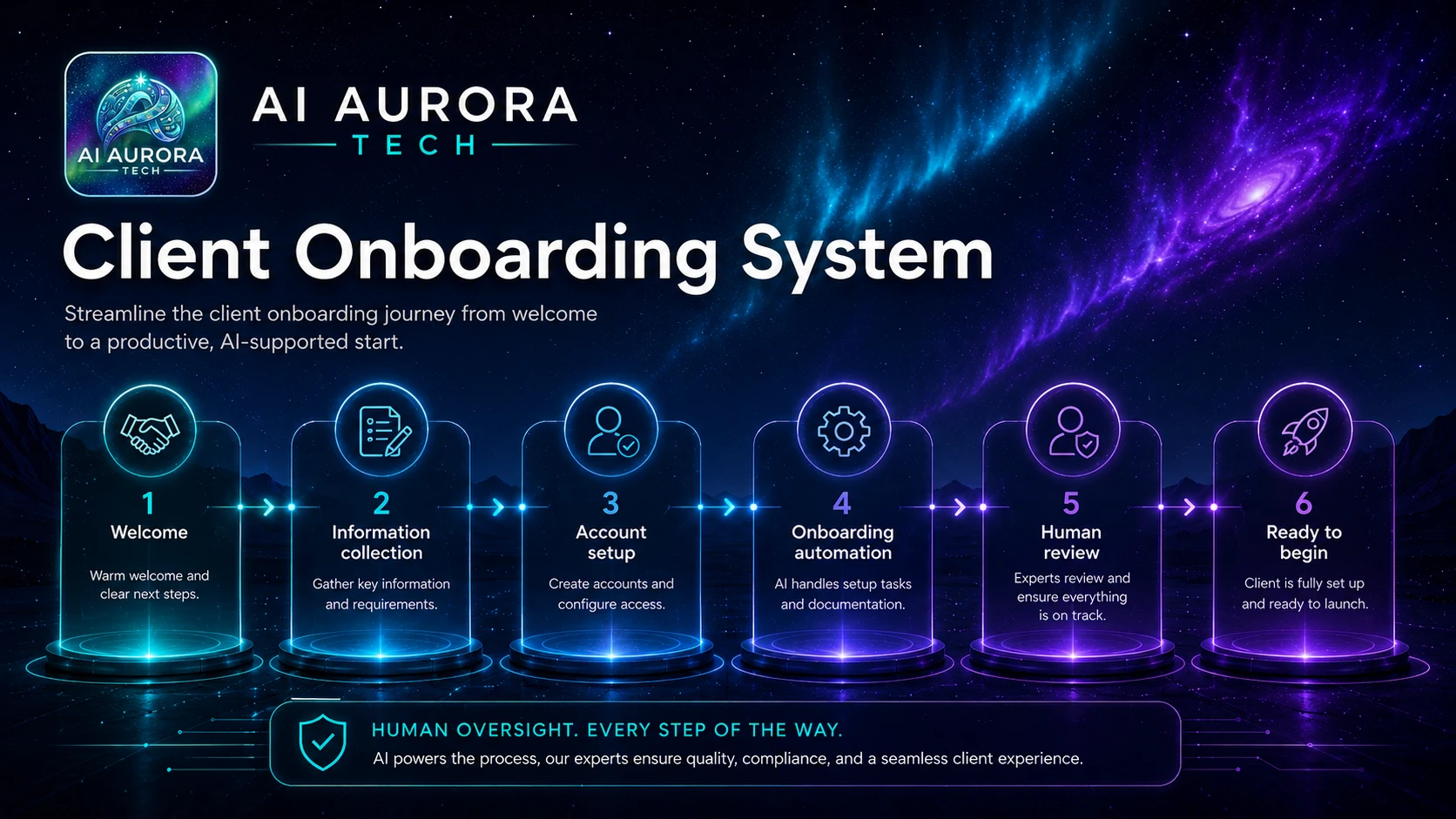
A client-onboarding workflow moves an accepted engagement from sale to delivery with clear records, access, responsibilities and next actions. AI may help summarise approved material or draft a welcome message, but it should not decide contractual obligations, create unchecked access or infer sensitive client information.
Outcome
The delivery team receives one complete onboarding record containing the signed scope, contacts, responsibilities, required access, milestones, risks and first actions. The client receives an approved welcome and a clear list of what happens next. Missing contracts, payment conditions, security checks or required inputs block delivery setup rather than being bypassed.
Suitable users
- Consultants, agencies and managed-service teams with recurring onboarding steps.
- Small businesses where sales-to-delivery hand-offs currently rely on email memory.
- Teams that need consistent collection of contacts, files, access and project expectations.
- Operators able to distinguish sales data, contractual records, credentials and delivery information.
Trigger
A controlled “ready to onboard” event after the agreement has been accepted and any required commercial prerequisites have been confirmed. The trigger should identify the signed scope or approved order, responsible account owner and intended delivery owner. A verbal yes or informal email should not silently create access or delivery commitments.
Required inputs
| Input | Required content |
|---|---|
| Agreement record | Signed scope, order or approved engagement reference and version. |
| Commercial status | Required deposit, purchase order or internal approval status. |
| Client contacts | Decision-maker, day-to-day contact, billing contact and technical/security contact where relevant. |
| Delivery ownership | Account owner, project owner and escalation contact. |
| Scope and exclusions | Deliverables, boundaries, assumptions, dependencies and change process. |
| Timeline | Start conditions, key milestones and known unavailable dates. |
| Access requirements | Systems, folders, data and permission level needed—without collecting passwords in ordinary forms. |
| Communication plan | Channels, meeting cadence, status format and response expectations. |
| Risk and compliance needs | Confidentiality, security, data-location, accessibility or regulatory requirements relevant to the service. |
Tool options
Use the signed agreement or controlled order as the source, an automation platform for orchestration, a project or workspace tool for the onboarding record, and an assistant for constrained summaries or drafts. Productivity and operations tools may support documents and meetings; automation tools handle routing and record creation. Choose tools with the AI tool-selection framework and map their roles using The Practical AI Stack.
Process flow
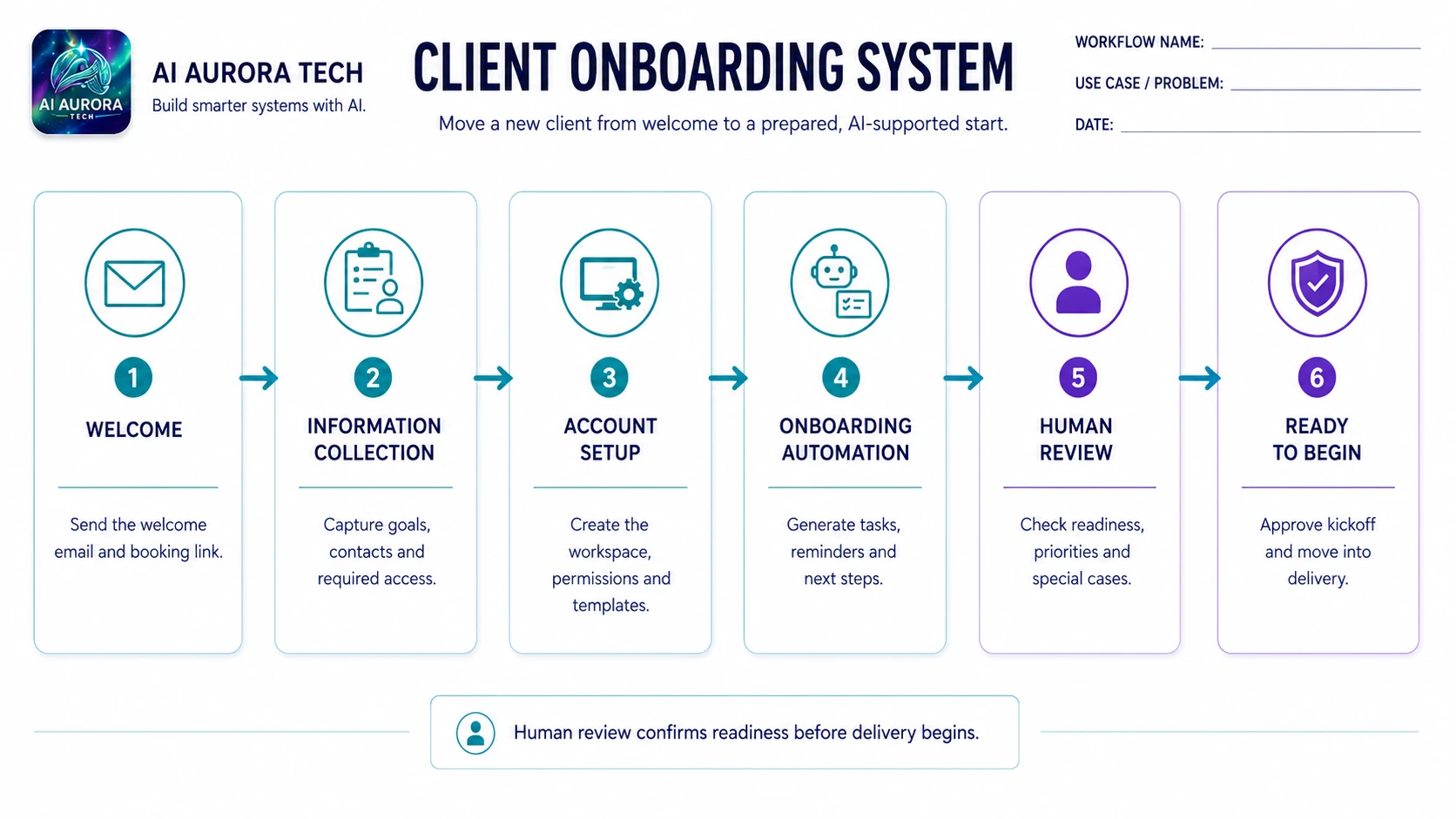
- Validate the trigger. Confirm the agreement reference, commercial prerequisite and accountable owners.
- Create the onboarding record. Assign a client or project ID and link the signed source rather than copying contractual text into uncontrolled notes.
- Transfer approved scope. Extract deliverables, exclusions, assumptions, milestones and dependencies into structured fields, with source references.
- Confirm contacts and responsibilities. Ask the account owner to verify client and internal roles before invitations are sent.
- Collect required information. Send a bounded checklist or secure request for files, access and preferences; request only what delivery needs.
- Provision workspaces and access. Create the project, folders and tasks using least privilege; high-risk access requires explicit approval.
- Prepare the welcome pack. Draft an approved introduction covering contacts, scope summary, immediate actions, meeting cadence and escalation route.
- Run the internal hand-off. The delivery owner reviews scope, risks, missing items and the first two weeks of activity.
- Hold the kickoff gate. Do not mark onboarding complete until critical inputs, access and responsibilities are confirmed.
- Record completion and exceptions. Store outstanding dependencies, owner and due date; monitor until resolved.
Human approval points
- The account owner confirms the controlling agreement and commercial readiness.
- The delivery owner confirms scope interpretation, capacity, milestones and unresolved risks.
- System owners approve access, permission level and external invitations.
- The welcome message and client-visible timeline are reviewed before sending.
- A person decides whether missing inputs are tolerable or should delay the start.
Exception handling
| Exception | Required response |
|---|---|
| Agreement or version cannot be confirmed | Stop and request the controlling record. |
| Commercial prerequisite is incomplete | Keep the engagement in pending status and notify the responsible owner. |
| Scope conflicts with sales notes | Use the signed or formally approved scope and escalate the discrepancy. |
| Client sends credentials insecurely | Do not redistribute them; follow the approved credential-reset and secure-sharing process. |
| Required access is broader than expected | Escalate to the system owner and reduce permissions to the minimum needed. |
| Sensitive or regulated data is proposed | Run the appropriate privacy, security and contractual review before transfer. |
| Automation partially creates the workspace | Mark the onboarding as incomplete, compare created objects with the checklist and repair manually before inviting users. |
Failure and fallback procedure
Maintain a manual onboarding checklist that mirrors the automated steps. If integrations fail, the owner can create the project, tasks and welcome pack from the controlled source records. The workflow must not send invitations or announce readiness until it confirms that required objects and permissions exist. Use the project ID for retries, reconcile partial creations and remove duplicate invitations or tasks.
Approved output destination
One project or client workspace should hold the onboarding checklist, scope link, contacts, risks, access status and first delivery plan. Credentials belong in an approved secrets system, not the project record. The signed agreement remains in its contractual repository; the workspace links to it.
Owner
The delivery or project owner is accountable for onboarding completion. The account owner confirms commercial and client context; operations maintains the workflow; system owners approve access; and the client has a named contact for missing information. Ownership transfers should be explicit and recorded.
Measurement
- Time from ready-to-onboard trigger to delivery-ready status.
- Percentage of onboardings blocked by missing scope, contacts, payment or access.
- Number of access corrections or duplicate invitations.
- Client questions caused by unclear responsibilities or timeline.
- Tasks overdue in the first two weeks.
- Rework caused by sales-to-delivery information gaps.
- Operator time, automation cost and exception-handling effort.
Setup checklist
- Define the ready-to-onboard gate and controlling agreement source.
- Create structured scope, contact, access and risk fields.
- Define least-privilege access templates and approval owners.
- Create a secure method for files and credentials.
- Write approved welcome and kickoff templates.
- Create an internal hand-off checklist and completion gate.
- Test missing agreement, incomplete payment, conflicting scope, excessive access, partial creation and duplicate retries.
- Pilot on representative client types and review the first two weeks of delivery.
Prompt asset specification
The later SOP and Checklist prompt pack should convert an approved process into a role-based checklist with prerequisites, evidence fields, exception routes and completion criteria. It must not infer contractual scope or generate access instructions without an approved source.