
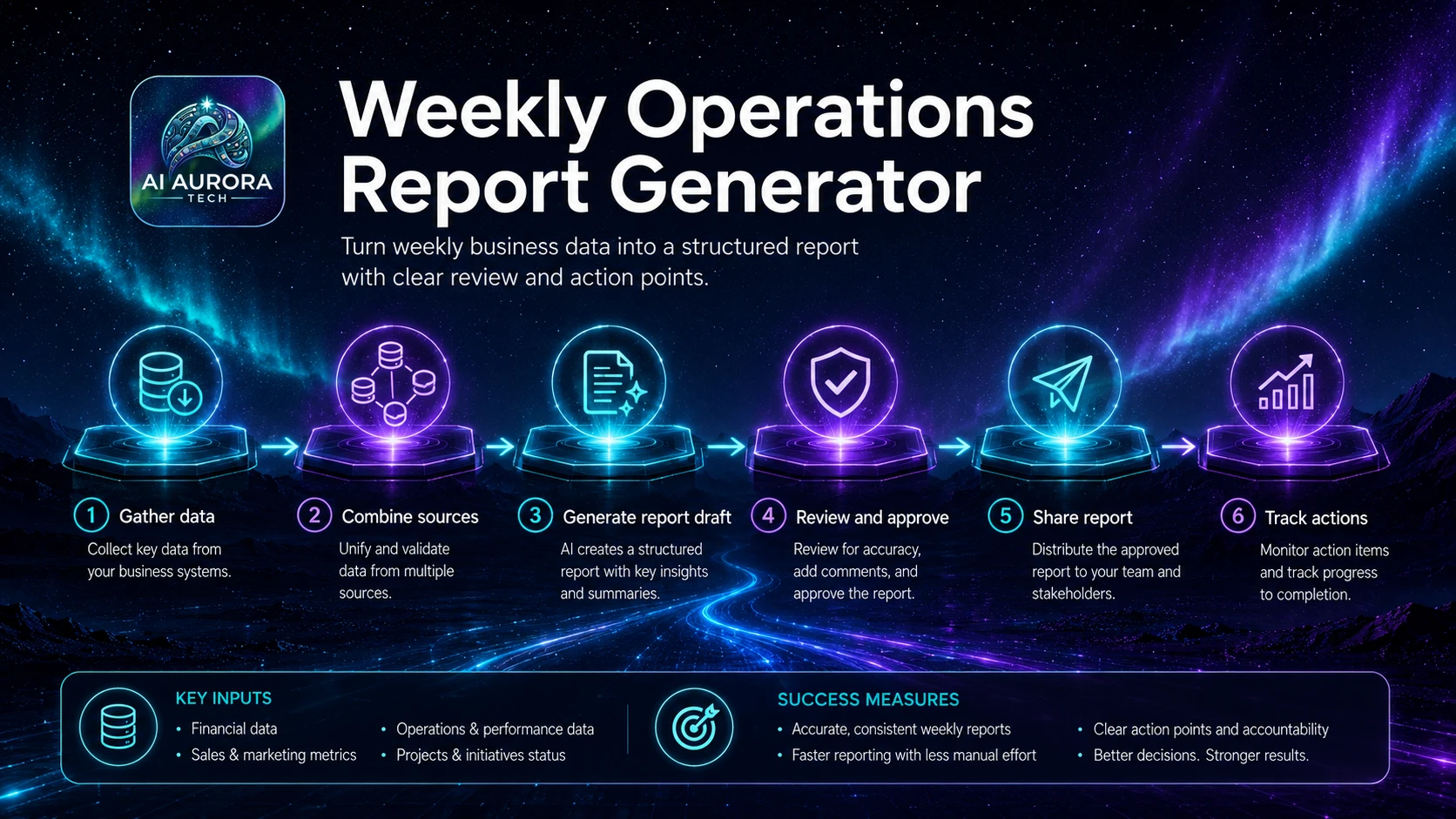
A weekly operations report should turn trusted operational records into a concise account of what changed, why it matters, who owns the response and what needs attention next. The workflow must expose missing or unreliable data instead of converting it into confident narrative.
Outcome
An approved weekly report containing validated metrics, material changes, exceptions, decisions, owners and next actions, with traceable links to the underlying records.
Suitable users
- Small teams that review delivery, sales, support, finance or project operations on a weekly cadence.
- Operations managers who spend too much time collecting updates and correcting inconsistent summaries.
- Consultants who provide recurring client reports from approved systems of record.
Trigger
The workflow starts at the agreed reporting cut-off after the reporting period closes and source systems have completed their normal data updates.
Required inputs
- Reporting period and cut-off time.
- Approved source systems, saved views or exports.
- Metric definitions, owners and acceptable freshness.
- Previous report and open-action register.
- Thresholds for material change and escalation.
- Required recipients, approval owner and delivery destination.
Tool options
| Operating model | Suitable when | Important control |
|---|---|---|
| Manual source pack with AI-assisted narrative | Source systems are few or exports still require judgement | A person verifies every figure before drafting begins |
| Connected reporting workflow | The same structured data can be retrieved reliably each week | Validate freshness, row counts and failed connectors before analysis |
| BI or dashboard-led report | Metrics already exist in governed dashboards | Use AI for commentary only; dashboards remain the source of truth |
Process flow
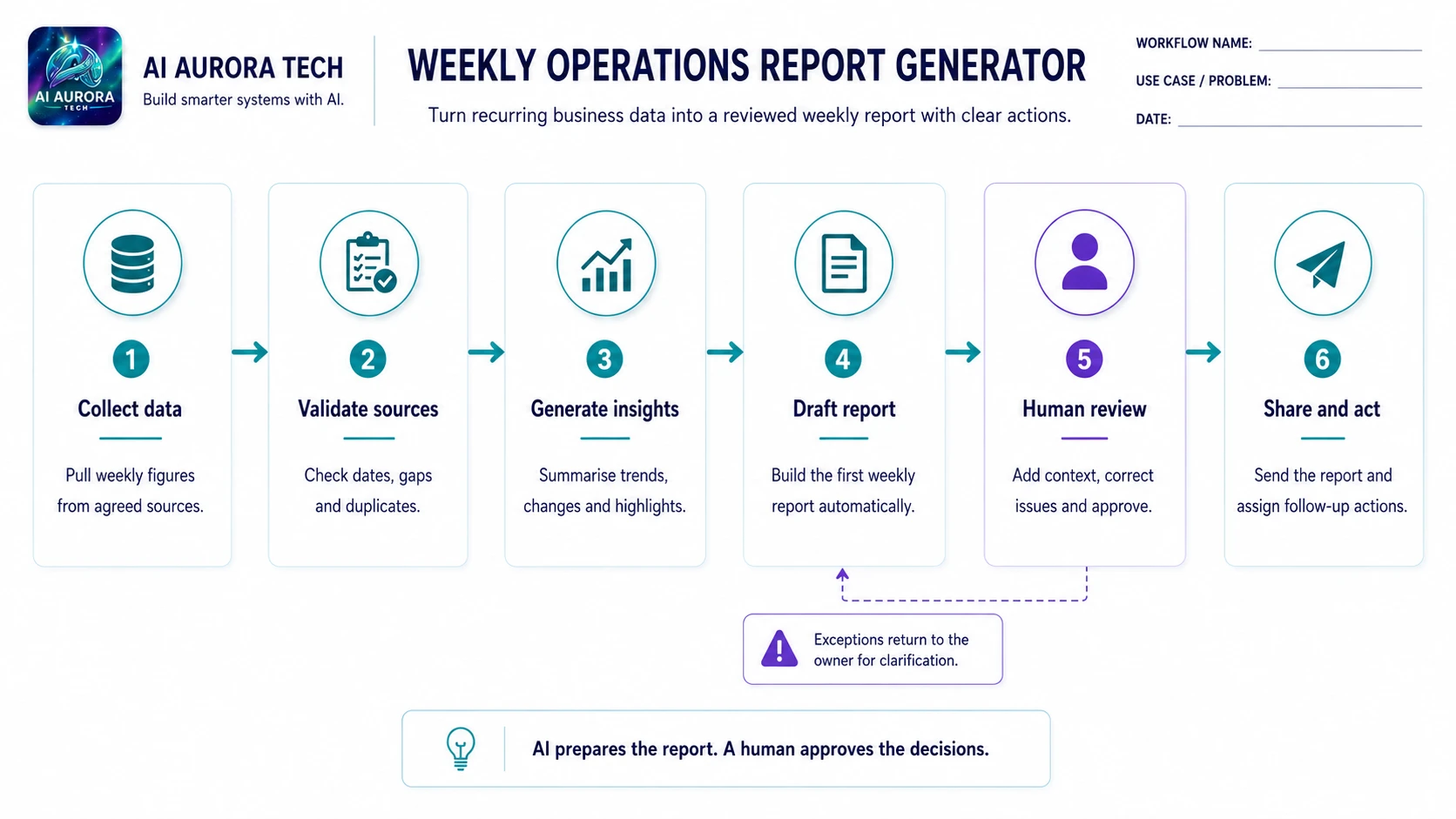
- Lock the reporting period and record the source snapshot time.
- Retrieve the approved metrics and open actions. Do not substitute chat history or memory for the source systems.
- Run deterministic checks for missing values, duplicated records, stale data, unexpected totals and failed connections.
- Compare current results with the agreed baseline, previous period and thresholds.
- Prepare a structured fact pack separating figures, verified context, open questions and unavailable data.
- Use AI to draft a concise narrative from the fact pack, required headings and audience rules.
- Require the draft to flag uncertainty, missing context and any calculation it cannot verify.
- A human owner checks figures, explanations, priority, tone and whether proposed actions match the evidence.
- Record approved actions with owner and due date in the operational system, not only inside the report.
- Publish or send the approved report and retain links to the source snapshot and review decision.
Human approval points
- The metric owner approves corrections to disputed or changed figures.
- The report owner approves the narrative, priorities and recipient list.
- Operational leaders approve commitments, escalations and resource changes.
- Sensitive people, customer or financial information receives the required specialist review.
Exception handling
- A source is late, stale or unavailable.
- Current and previous figures use different definitions.
- An outlier has no verified explanation.
- The AI draft overstates causation or invents a reason for movement.
- An action has no owner or due date.
- The report delivery channel fails or recipients are incorrect.
Failure and fallback procedure
- Mark unavailable data explicitly and issue a partial report only when the owner approves the limitation.
- Use the last validated manual export if a connector fails.
- Remove unverified explanations and list them as questions for the metric owner.
- Create actions manually in the authoritative task system if automation is unavailable.
- After a material reporting error, correct the distributed version, notify recipients and record the cause before the next run.
Approved output destination
The authoritative outputs are the approved report in its controlled destination and the action records in the team’s task or operating system. The generated draft is not the final record.
Owner
An operations owner maintains metric definitions and workflow reliability. Each metric and action also has a named accountable owner.
Measurement
- Time spent collecting and checking source data.
- Percentage of metrics delivered on time and with valid freshness.
- Number of factual corrections before and after distribution.
- Unowned or overdue actions.
- Reader decisions or follow-up generated by the report.
- Recurring exceptions and connector failures.
Setup checklist
- Document the reporting calendar, sources and metric definitions.
- Create freshness, completeness and threshold checks.
- Define the report structure and maximum length.
- Create an open-action register with owners and due dates.
- Test normal, missing-data, definition-change and outlier cases.
- Test manual export and manual distribution fallback.
- Set correction, retention and access rules.
Pilot sequence
- Select a small set of representative cases, including at least one incomplete input and one exception.
- Run the workflow manually while recording actual hand-offs, corrections and decisions that the documented process missed.
- Enable AI assistance for one bounded task and compare the result with the manual baseline before connecting further actions.
- Add integrations and low-risk automation one step at a time. Retest duplicate handling, permissions, alerts and manual fallback after every change.
- Review the evidence with the workflow owner and decide to adopt, revise, narrow or stop. Do not expand merely because the demonstration completed.
Operating record
Keep the current workflow definition, tool configuration, prompt version, permission decisions, test evidence, exception log, owner and review date together. A diagram or automation configuration is not sufficient on its own because it does not explain why the system is allowed to act, how a reviewer makes a decision or how the team recovers when conditions change.
Stop conditions
- Material output cannot be checked against an authoritative source.
- Exceptions or manual corrections are increasing rather than stabilising.
- The workflow creates commitments or consequential actions without meaningful approval.
- The owner, fallback route or source system is no longer available.
- Operating cost, maintenance or user burden exceeds the measured benefit.
Prompt asset specification
- Required inputs: verified fact pack, metric definitions, previous report, audience and action register.
- Master instruction: summarise only supplied facts, distinguish observation from explanation and identify unavailable evidence.
- Variations: executive summary, client report, delivery review and exception-only report.
- Output contract: metrics table, material changes, verified context, risks, decisions and owned actions.
- Human review: every figure, claimed cause, priority, commitment, recipient and confidential detail.