
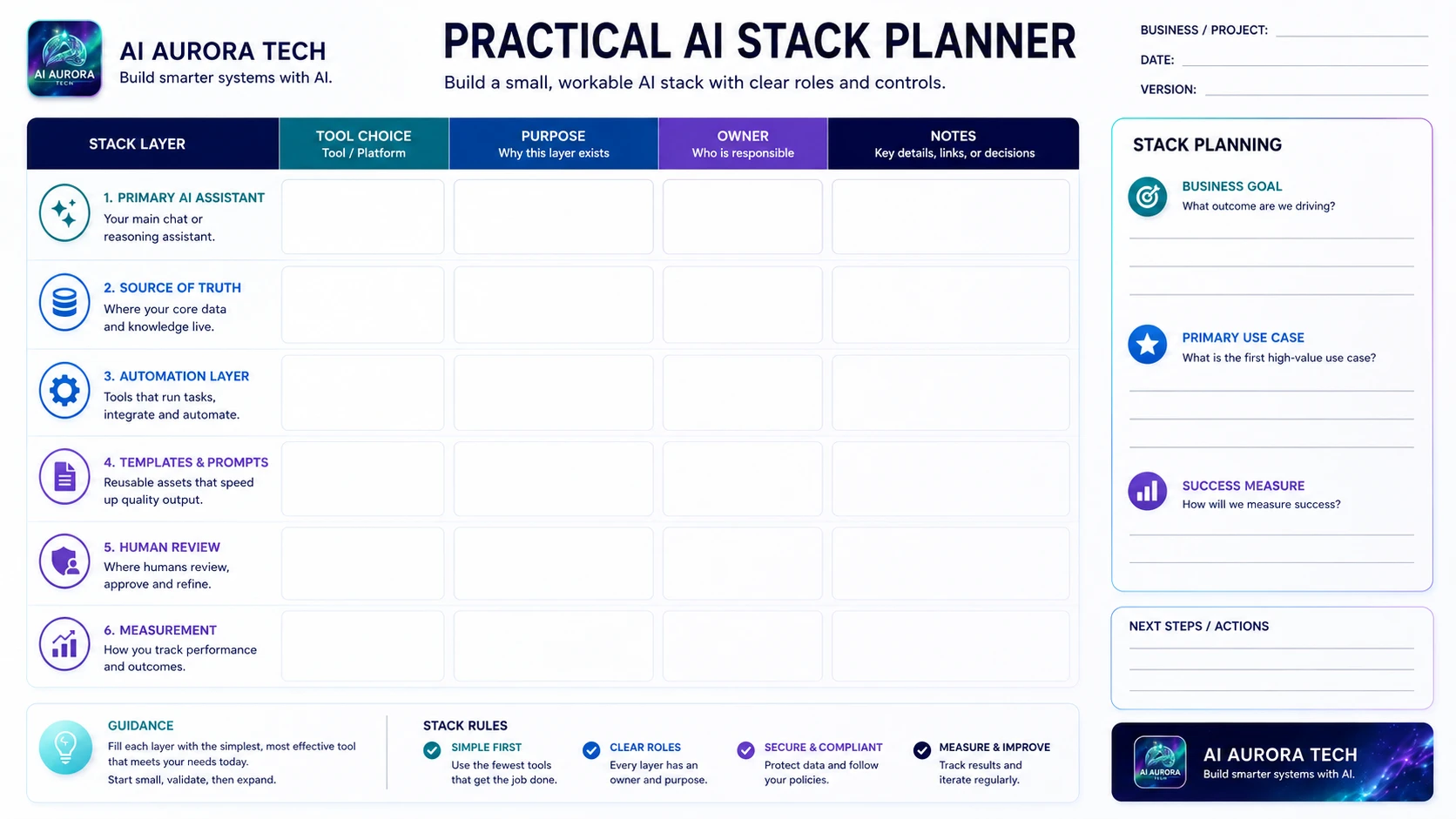
Use the Practical AI Stack Planner to assign a clear role, owner and purpose to each layer of a small AI system. The aim is not to fill every box with a different subscription. It is to expose gaps, overlap and weak ownership before the stack becomes expensive or difficult to operate.
Download the planner
Complete the landscape planner for one business outcome or project. Use a separate copy when the sources, owners or risk profile differ materially.
Plan the outcome first
- State the business goal in observable terms.
- Choose the first high-value use case.
- Define one or two success measures before selecting tools.
- Record the person responsible for the complete stack.
Complete the six layers
- Primary AI assistant: the main model or interface used for bounded reasoning and drafting.
- Source of truth: the approved documents, records or databases the system may rely on.
- Automation layer: the integrations and deterministic actions that move validated information.
- Templates and prompts: versioned instructions, examples, schemas and checklists.
- Human review: the people, evidence and authority required before consequential output is accepted.
- Measurement: quality, time, cost, failure and adoption signals used to maintain the system.
Look for overlap and missing controls
A crowded assistant layer, several competing sources of truth or multiple automation platforms often create more work than value. Equally, a stack with no named owner, approval route, fallback or measurement is incomplete even when every technical connection works.
Use the planner during a pilot
Record the smallest viable tool choice for each required layer. Mark a layer “not required” rather than adding software to complete the picture. After the pilot, update the planner with actual cost, operating burden, exceptions and ownership changes.
Worked example
A small consulting team building a research-brief system might choose one primary assistant for synthesis, a controlled project folder as the source of truth, one automation platform for validated hand-offs and a shared brief template with a versioned instruction. A consultant reviews source coverage and conclusions before the approved brief is stored in the client workspace. Measurement covers preparation time, unsupported claims, revision rounds and delivery cost. The planner makes clear that the assistant is not the source of truth and that the automation layer is not allowed to publish or send the final brief.
Questions to ask for every layer
- Why does this layer exist for the defined outcome?
- Which information or action is it allowed to access?
- Who owns configuration, cost, permissions and failure recovery?
- Can data and work be exported if the tool is removed?
- What happens when the service is unavailable or changes behaviour?
- Which measure would show that this layer is no longer useful?
Common stack-planning mistakes
- Assigning several general assistants without distinct roles.
- Allowing generated output to become the source of truth.
- Choosing integrations before defining the approved destination.
- Treating prompts as personal notes rather than versioned operating assets.
- Leaving review and measurement outside the architecture.
- Keeping a subscription because it was purchased rather than because the current system needs it.
Review and version the planner
Review the planner after the pilot and at regular stack reviews. Record cost, owners, access changes and retired tools. A stack diagram is only current when it matches the systems people actually use and the permissions those systems actually hold.